
Do Not Sell My Personal Information Jump to content
View in the app

A better way to browse. Learn more.

Subaru Owners Club UK | Subaru Forums

A full-screen app on your home screen with push notifications, badges and more.

To install this app on iOS and iPadOS
  1. Tap the Share icon in Safari
  2. Scroll the menu and tap Add to Home Screen.
  3. Tap Add in the top-right corner.
To install this app on Android
  1. Tap the 3-dot menu (⋮) in the top-right corner of the browser.
  2. Tap Add to Home screen or Install app.
  3. Confirm by tapping Install.

C13RKK

Members
  • Joined

  • Last visited

Everything posted by C13RKK

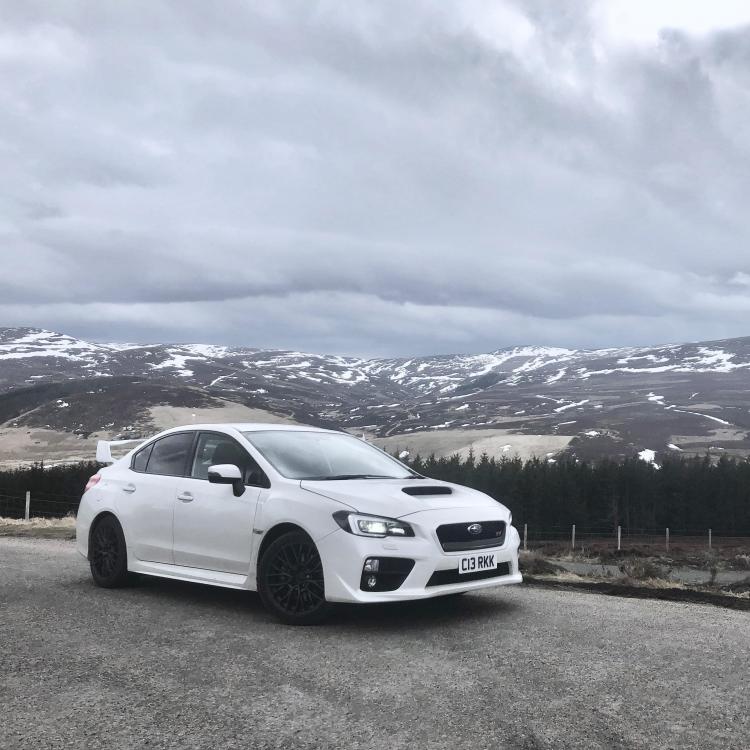
  1. Hey everyone I’m Dave, recently bought a new age sti and have to say I’m loving every second of it. I’ve admired the older models from watching Colin as a kid and knew at one point in my life I’d own one. Have to say the new age sti definitely has the smile / feel good factor when driving it and hopefully add to that in the future. Basically joined for some ideas and power expectations with certain bolt ons. Have a few Perrin parts on order but will make a build thread for that. Hope to speak or see some of you guys soon.
Background Picker
Customize Layout

Account

Navigation

Search

Configure browser push notifications

Chrome (Android)
  1. Tap the lock icon next to the address bar.
  2. Tap Permissions → Notifications.
  3. Adjust your preference.
Chrome (Desktop)
  1. Click the padlock icon in the address bar.
  2. Select Site settings.
  3. Find Notifications and adjust your preference.
