


Zetec capri
Members
-
Joined
-
Last visited
-
I say scooby, trying to get my dad to say that as well as he tends to pronounce subaru as "saa brew"
-
Just going to clean the wheels up abit and enjoy driving it.
-
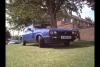
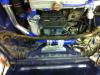
And my capri
-
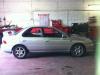
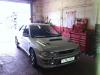
I have just taken some pics today.
-
Hi just introducing myself. My name is John just brought my first subaru impreza It's a 1999 two litre turbo, it is completely standard which is the way I am going to Keep it. I origanly brought a 1997 impreza wrx estate import and put a new engine in It as the previous owner cooked the engine, but unfortunately the Insurance was way to expensive. I am enjoying driving the car it does have a bit of hesertation but i Have seen there are quite a few treads on this problem so will be working through them To try and fix the problem. I also have a 2.1 zetec turbo capri which is my pride and joy but this is not on the road yet.




