


Melek
Members
-
Joined
-
Last visited
-
 Hi everyone couple weeks ago I've posted in here that I had the change to buy my first scooby. This is the second week with my 2000 gf8, love it love it love it! The sound, the grip the style, simply in love with this car. It does need some TLC but the engine is sound. As soon as the weather improves will start working on its body work and will post updates.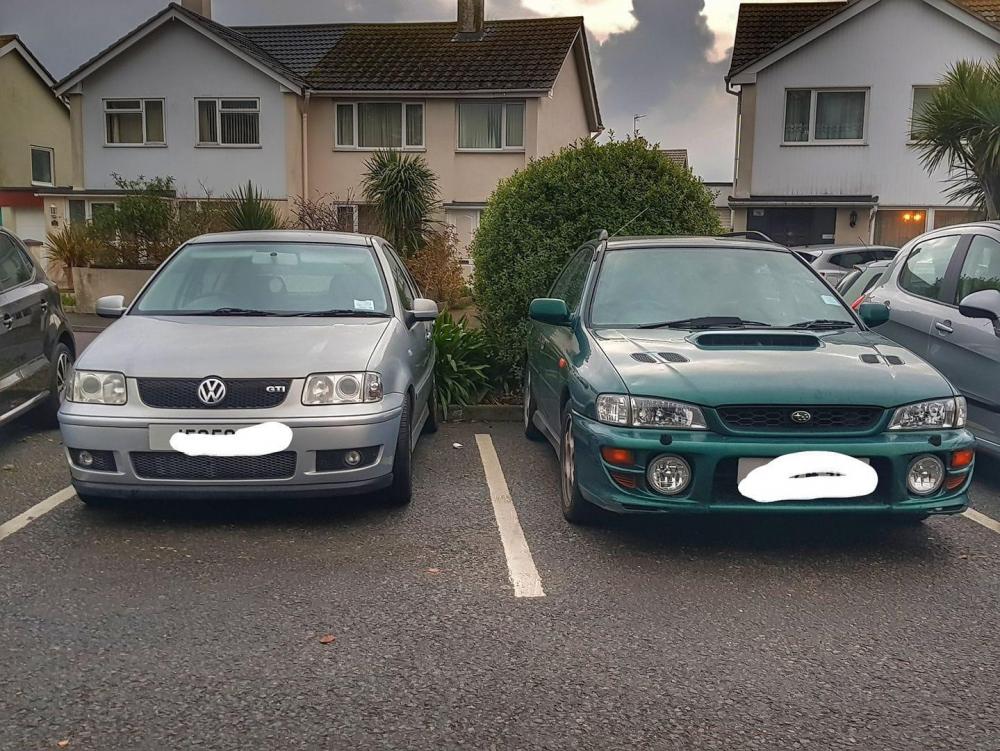
-
Hello everyone my name is Miguel and It's been my dream to own a suburu since I knew of then, I have an opportunity of checking one today at a very cheap price. Its a 2000 Wrx GF8 with 91K, the car is on sale for £1250, any specific issues I should look for while checking the car? Hopefully the car is mechanically sound.

