
Do Not Sell My Personal Information Jump to content
View in the app

A better way to browse. Learn more.

Subaru Owners Club UK | Subaru Forums

A full-screen app on your home screen with push notifications, badges and more.

To install this app on iOS and iPadOS
  1. Tap the Share icon in Safari
  2. Scroll the menu and tap Add to Home Screen.
  3. Tap Add in the top-right corner.
To install this app on Android
  1. Tap the 3-dot menu (⋮) in the top-right corner of the browser.
  2. Tap Add to Home screen or Install app.
  3. Confirm by tapping Install.

jayp

Members
  • Joined

  • Last visited

Everything posted by jayp

  1. Hi, both are the same colour which is black. I am going to do as you suggest and but a temporary bridge in to see if that works. Cheers
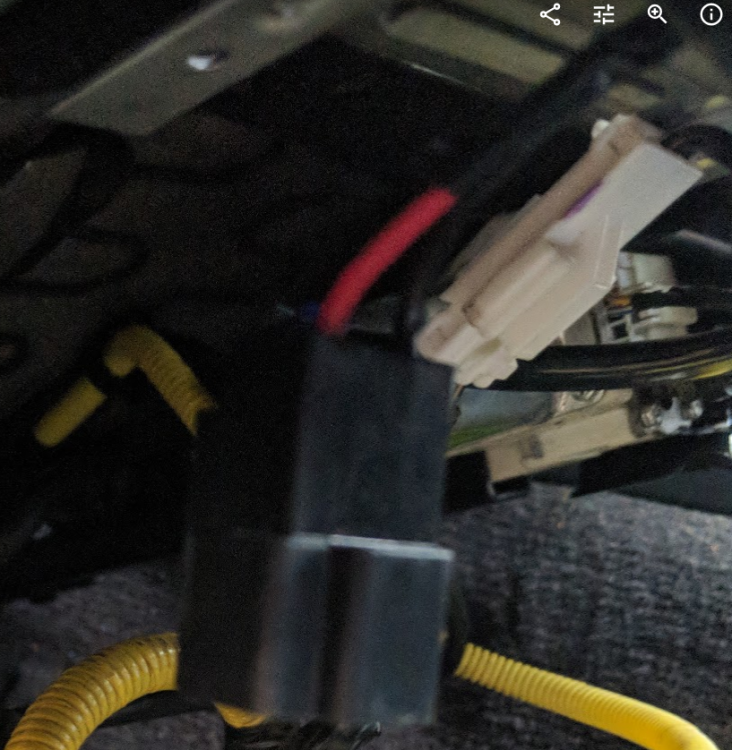
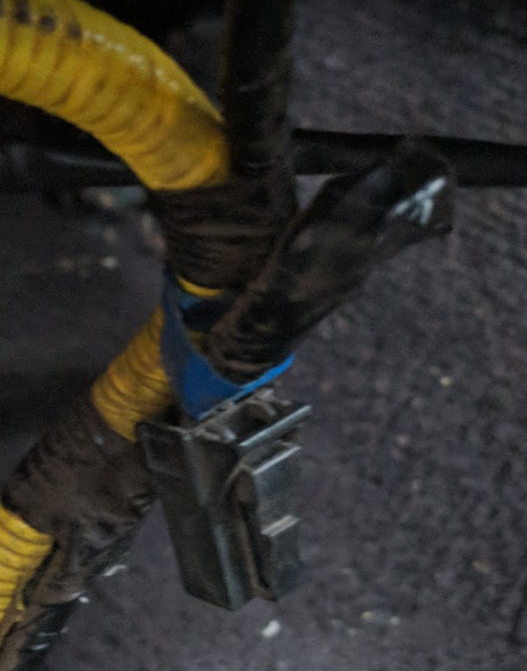
  2. Hi, I have just returned to Subaru ownership and purchased a 2006 Outback which came with a rather dirty cloth interior. I have acquired a full leather interior replacement and swapped over all but the drivers seat which is where I am a bit stuck. Having connected all the matching electric connectors I have 2 left that do not match up. One is a small black connector on the car harness and the other a larger black connector on the seat. Does anyone know if I just need to have the connector changed on either side so they marry up size wise and would that then provide the power to the seat? The breaker said the interior was from a 2006 model so i expected the connectors to match up.
Background Picker
Customize Layout

Account

Navigation

Search

Configure browser push notifications

Chrome (Android)
  1. Tap the lock icon next to the address bar.
  2. Tap Permissions → Notifications.
  3. Adjust your preference.
Chrome (Desktop)
  1. Click the padlock icon in the address bar.
  2. Select Site settings.
  3. Find Notifications and adjust your preference.