Pbradley
Members
-
Joined
-
Last visited
-
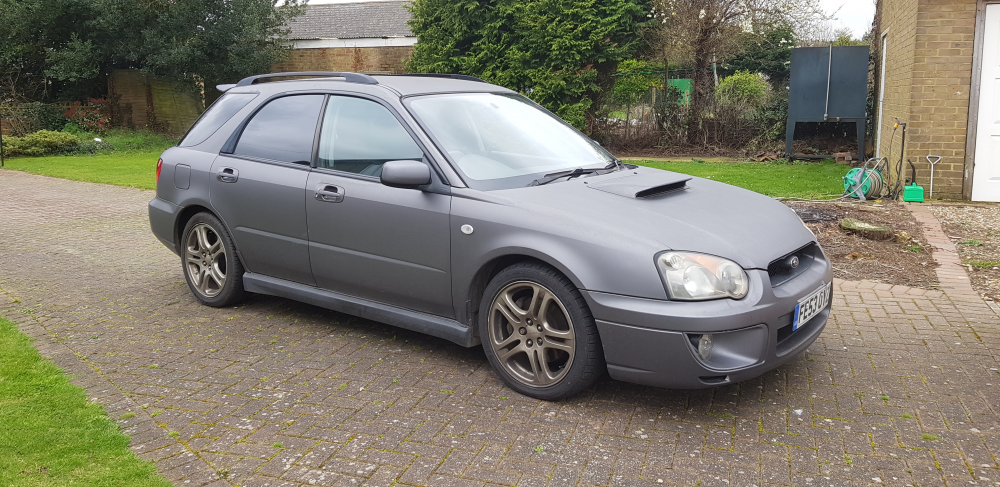
Hi everyone, Thank you for viewing this page. I am looking for someone to take my pride and joy on its next chapter. For anyone interested I am situated in Sittingbourne, Kent. The car currently has 93,387 miles on the clock - maybe a fraction over that now since I have used it a little since recording the mileage. I have part Service History, but the car has been in the family a long time and has been well looked after. That said; it does have a few minor issues as follows: Front off-side window can only be opened and closed with driver side controls. Rear windscreen wiper appears to have stopped working The battery probably needs replacing One of the brake pads needs replacing This one isn't an issue as such, but the car was wrapped quite a few years ago and that is now starting to look a bit old. I am looking for something around £3000.00 but will consider offers near the stated price tag. The reason for my selling of the vehicle is due to the fact that I don't really have the time to maintain it, and rather than leave it sitting dormant I thought it would be a lot of fun for someone else out there. Once again thank you for reading through this, and if anyone wishes to get in touch regarding the car please drop me a line to [email protected] Bradley