
Do Not Sell My Personal Information Jump to content
View in the app

A better way to browse. Learn more.

Subaru Owners Club UK | Subaru Forums

A full-screen app on your home screen with push notifications, badges and more.

To install this app on iOS and iPadOS
  1. Tap the Share icon in Safari
  2. Scroll the menu and tap Add to Home Screen.
  3. Tap Add in the top-right corner.
To install this app on Android
  1. Tap the 3-dot menu (⋮) in the top-right corner of the browser.
  2. Tap Add to Home screen or Install app.
  3. Confirm by tapping Install.

BonzoDog

Members
  • Joined

  • Last visited

Everything posted by BonzoDog

  1. Ta for that. To be honest I aint really up on modding motors, motorcycles on the other hand I like to play with. It's a power thing lol. Nonetheless given time she may get a few little bit's n bobs done, we'll see. I'll have a wander round here and see what's been done.
  2. Hi man 'n cheers. At the moment she is staying as she is. Engine needs a bit of a wipe over but otherwise she is in pretty good condition, so I'm knid of... don't fix what don't need fixing :D
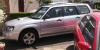
  3. Hi all. Became the owner of this '03 Forester 2.0 XT a little earlier this year. It used to be me Dad's but he sadly passed on :( Sadness aside she is one hell of a motor, I consider myself one very lucky boy ;) Looking forward to chatting with ya.
Background Picker
Customize Layout

Account

Navigation

Search

Configure browser push notifications

Chrome (Android)
  1. Tap the lock icon next to the address bar.
  2. Tap Permissions → Notifications.
  3. Adjust your preference.
Chrome (Desktop)
  1. Click the padlock icon in the address bar.
  2. Select Site settings.
  3. Find Notifications and adjust your preference.