
Skip to content
View in the app

A better way to browse. Learn more.

Subaru Owners Club UK | Subaru Forums

A full-screen app on your home screen with push notifications, badges and more.

To install this app on iOS and iPadOS
  1. Tap the Share icon in Safari
  2. Scroll the menu and tap Add to Home Screen.
  3. Tap Add in the top-right corner.
To install this app on Android
  1. Tap the 3-dot menu (⋮) in the top-right corner of the browser.
  2. Tap Add to Home screen or Install app.
  3. Confirm by tapping Install.

Adrian14mz

Members
  • Joined

  • Last visited

Everything posted by Adrian14mz

  1. Hi ya.. 2012 DT SE Outback. It passed the NCT in November 2019. I also had it looked at in: Subaru, Carroll & Roche, Newslandscross.D22 Subaru, Castle garage, Bray. Everything looks ok to them but it is still pulling into the left a bit much. I also had new x 4 tyres put on it before I had it tracked. I was hoping that one of the members might have come across it before. SOMETHING has to be causing the problem but nobody can put their finger on it. Adrian. PS. I even contacted the previous owner and he said that it was his wife's car and that it had never been crashed.
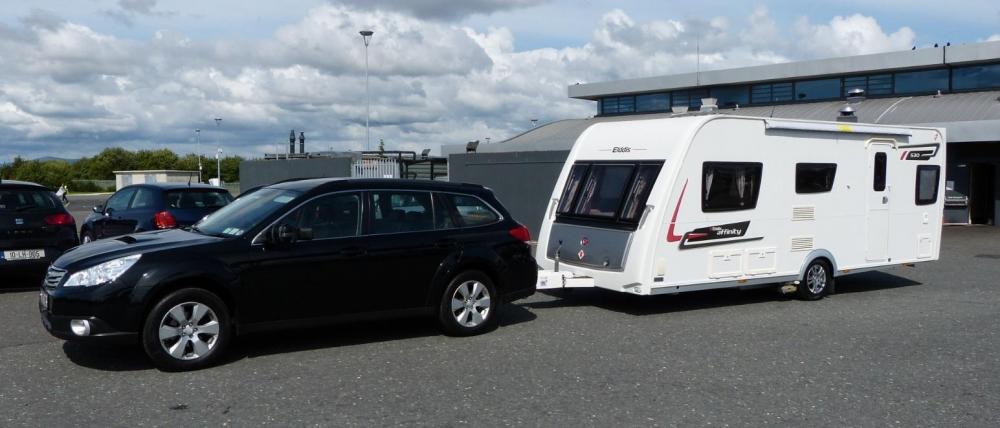
  2. Hi. I have taken my car to two Subaru garages and they can't find the problem with mt car. I have had the tracking done twice but it just keeps puling sharp to the left while driving with hands off. Any ideas on how to fix this ? Adrian.

Background Picker
Customize Layout

Account

Navigation

Search

Search

Configure browser push notifications

Chrome (Android)
  1. Tap the lock icon next to the address bar.
  2. Tap Permissions → Notifications.
  3. Adjust your preference.
Chrome (Desktop)
  1. Click the padlock icon in the address bar.
  2. Select Site settings.
  3. Find Notifications and adjust your preference.