Putts
Members
-
Joined
-
Last visited
-
I've found a little place near me that fits them custom so going to try them, very reasonable too with a lifetime warranty!
-
I've managed to find a custom place near me and hes going to build it straight on the car, chatted about the sound I wanted too and it seems he knows what hes talking about so leaving it in his hands. Very reasonable too I thought in comparison. Will let you know what it's like when it's done!
-
Thanks Jay762, I'll have a look!!
-
-
That's great, thank you, bit of a minefield. Any particular brand you favour? I like a bit of noise!
-
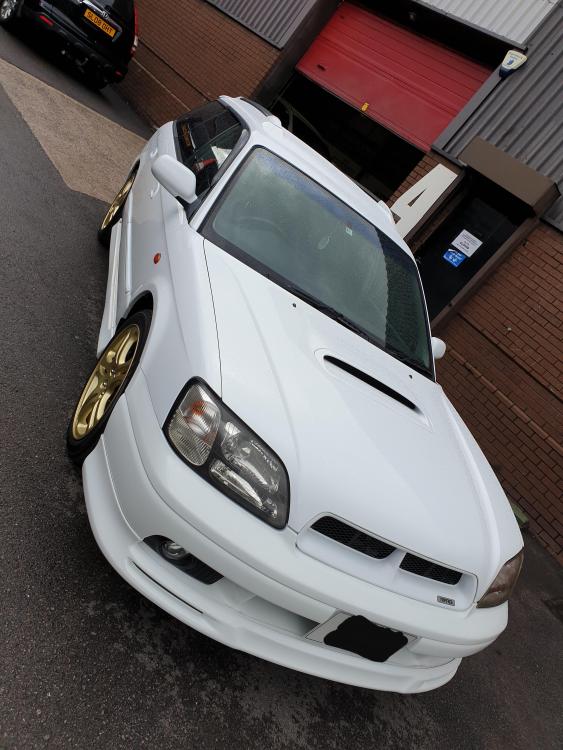
I'm so happy with her, yes, imported Feb and only 1 owner. Shes mint inside, totally standard but need to upgrade the exhaust next.
-
Thank you and yes she is very clean for a 22 year old!
-
Hope you clever people can help. I want to upgrade my exhaust for a louder system. Do any of you know of a supplier for a cat back system or do you know if a different models system will fit on my 1998 2.0 Legacy GT-B? Thank you guys!
-
Good afternoon. I've just picked up my new to me 1998 Subaru Legacy GT-B Twin Turbo. I had a GT version about 12 years ago and always regretted selling it. I've never joined an owners club before but im looking forward to experiencing all the enthusiasm of it all!! Think I'm re-living my youth!!