Do Not Sell My Personal Information Jump to content
View in the app

A better way to browse. Learn more.

Subaru Owners Club UK | Subaru Forums

A full-screen app on your home screen with push notifications, badges and more.

To install this app on iOS and iPadOS
  1. Tap the Share icon in Safari
  2. Scroll the menu and tap Add to Home Screen.
  3. Tap Add in the top-right corner.
To install this app on Android
  1. Tap the 3-dot menu (⋮) in the top-right corner of the browser.
  2. Tap Add to Home screen or Install app.
  3. Confirm by tapping Install.

waldo

Members
  • Joined

  • Last visited

  1. not a full time one I wish I have to work also ha ha
  2. THANKS GAMBIT yea ill check it out and try get used to the forum :D
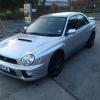
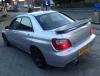
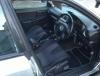
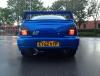
  3. this is up aswell 1 owner from new fsh 2695 ono immaculate its had a 58year old owner from new so only been tickled about really its like new. its had sti wheels and a dump valve dvd player and decat and centre and backbox not even a stone chip ha ha ready to go tax and tested MUST SEE
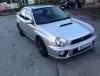
  4. full time trader pal just do it from a small space and home. its a rep pal not a real uk 300 just had the stickers on when I bought it looks the part tho.
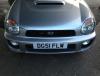
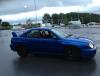
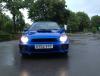
  5. they both mine pal but the blue one is going Monday, I buy and sell bug eyes all the time m8.
  6. thought id sighn up see if its lively on here ?
Background Picker
Customize Layout

Account

Navigation

Search

Configure browser push notifications

Chrome (Android)
  1. Tap the lock icon next to the address bar.
  2. Tap Permissions → Notifications.
  3. Adjust your preference.
Chrome (Desktop)
  1. Click the padlock icon in the address bar.
  2. Select Site settings.
  3. Find Notifications and adjust your preference.