WRXChris
Members
-
Joined
-
Last visited
Everything posted by WRXChris
-
Hi guys I am a bit lost, hope someone can help me out! I currently have 2.5 2007 WRX that I just aquired. It has had a stage 1 tune before I brought it, de-cat downpipe, back box, K&N panel filter, ecutek remap and a walbro fuel pump. The service has discovered a crack in the mid section of the exhaust so I figure I might as well get it sorted and possible change some bits around at the same time. Currently I have an Afterburner de-cat downpipe and a Hayward and Scott back box with a standard cat-pipe and mid section. I was thinking of getting an Afterburner sports cat to replace the downpipe and cat-pipe and a new mid section, also from Afterburner. Does this sound like a good choice? If I do this am I going to need, or want to get, a remap? Bonus remap question! The invoice I have that shows the works includes an ecutek license, is this license built in to the ecu, the car has it forever, or is it for the specific person? Any and all advice gladly accepted!
-
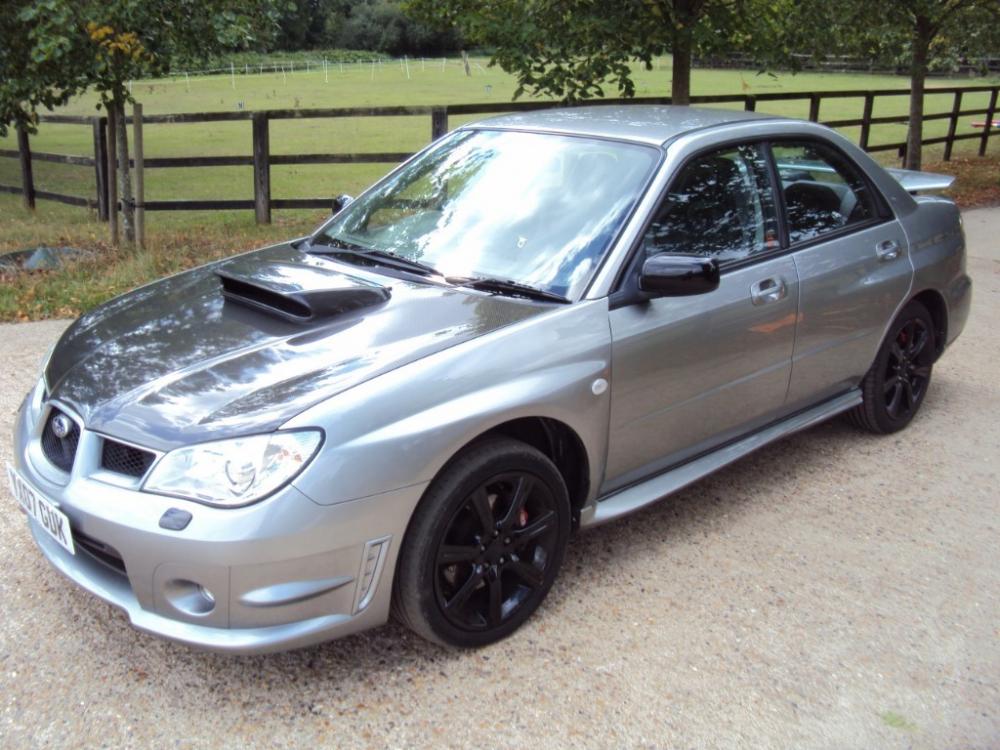
Hey everyone! Subaru virgin here! Just brought my first one, an '07 WRX 2.5. Not even picked it up yet! (Tomorrow needs to hurry up!) Honestly, have no clue about them at all, was actually looking for an EVO as I had one when I was younger but I saw this and just sort of loved it and it was a good price (I think!) Any advice on owning and taking care of one is appreciated as it's been a decade or more since I have owned a decent car! I will, undoubtedly, have many questions over the coming months! Chris