Koltonius
Members
-
Joined
-
Last visited
-
One side went in just fine, but the other side's bolt hangs about 2cm too close to the front of the vehicle. Managed to get it over halfway to the hole using the weight of the dropping engine to leverage it back. Tomorrow going to jack up the back of the car and take the jackstands off the front sides with the front jacked up slightly for crawling space, see if that helps the engine settle in tomorrow. Has anyone ever run into this problem? There's nowhere good to get a crowbar on the frame and engine (steel) with the timing belt cover on the front it seems
-
Koltonius joined the community
-
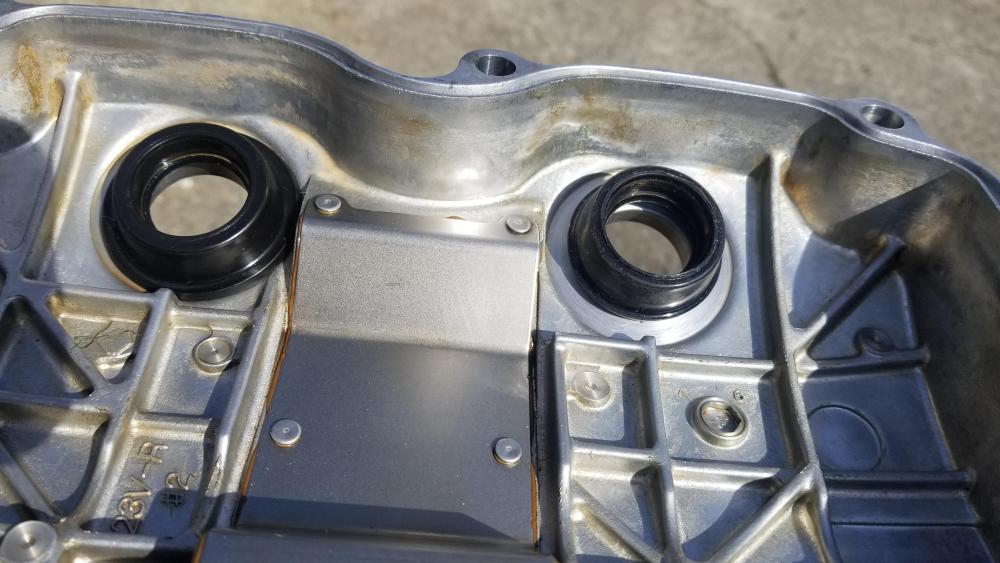
I undertook changing the valve cover gaskets + spark plug tube seals on my 2008 Impreza 2.5i. Other than rounding off both of the engine fasteners before getting them off with a special socket and not being able to find 14mm 1.25 pitch flange nut replacements at hardware stores near me, it was going great until I went to put the first cover back on and noticed it wasn't fitting quite like before. I then noticed the new seals stand 1/8 inch taller than my old ones. I called Fel-Pro (manufacturer) and two Subaru dealerships who both said the seals I have are the only ones they know of for my model, and they should just "flatten out" over time. I had initially assumed they were the wrong size because the bolts for the valve covers are pathetic and only supposed to crank to 5 foot pounds. Part #VS 50780 R