Fireball607
Members
-
Joined
-
Last visited
Everything posted by Fireball607
-
I was not aware of said wiring harnesses haha. I have just purchased the correct harness for my car. Below is how it's currently wired controller unit wire to kew switch wire : red (Constant 12v) to white and black in car Blue (ACC) to blue in car Green (Key ON) to yellow and black in car Then earth to chassis and parking break wire to pink wire connect to hand brake in car.
-
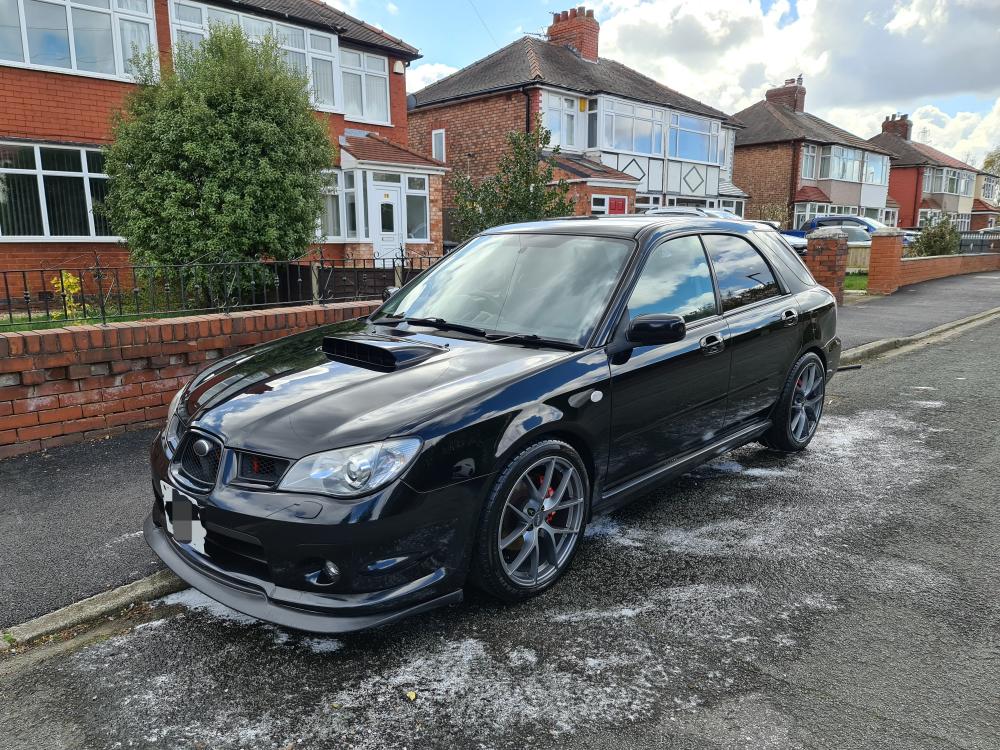
Hello all, New Member alert!! I have just purchased a beautiful 56 plate Impreza Wagon WRX 2.5ltr and I love it already. It has a Nurspec R exhaust, dump valve, remap, 18 Fox alloys, upgraded horn and 40mm lowering springs. Looking forward to some very fun miles...
-
Hello, Can anyone help me with the key switch wiring diagram for a 56 plate Impreza Wagon WRX 2.5ltr? I am have installed a turbo timer and it playing funny business. Thanks
-
Thanks peeps. Bought a WRX 2006 Wagon 2.5l with Nurspec R exhaust, dump valve and remap @ 290bhp
-
Hello all, I am about to spend some money on my dream car. It's a 2007 Impreza WRX Wagon 2.5ltr. I was hoping someone would be able to tell me what to look out for when I go and look at the car I'm thinking of buying. I know there are common issues like rusting arches but I want to be able to check for all the other common issues. Can anyone help this virgin Subaru Owner hahaha?? Thank you so much!!