
Do Not Sell My Personal Information Jump to content
View in the app

A better way to browse. Learn more.

Subaru Owners Club UK | Subaru Forums

A full-screen app on your home screen with push notifications, badges and more.

To install this app on iOS and iPadOS
  1. Tap the Share icon in Safari
  2. Scroll the menu and tap Add to Home Screen.
  3. Tap Add in the top-right corner.
To install this app on Android
  1. Tap the 3-dot menu (⋮) in the top-right corner of the browser.
  2. Tap Add to Home screen or Install app.
  3. Confirm by tapping Install.

jojo30

Members
  • Joined

  • Last visited

  1. Dirty dirty dirty lol :)
  2. Keep ur mouth shut about what miggs ? U lot make me laugh :)
  3. Haha im not feeling it either lol ;)
  4. Lol y u put that on???
  5. Haha dirty bugger ;)
  6. Anyway y is love in the air ??????
  7. What u lot like :o
  8. Haha i no ur joking.:p
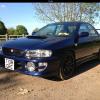
  9. U can see my car on the profile i uploaded it from my ipad im not some wanna be yes im a women.yes i have a scooby i wouldnt of joined if i didnt have a scooby :p women can have taste u no lol
  10. Haha miggs this made me laugh :)
  11. Mine needs scappin :p driving to work this morning in it has made me in a mood !Removed! thing lol

Background Picker
Customize Layout

Account

Navigation

Search

Configure browser push notifications

Chrome (Android)
  1. Tap the lock icon next to the address bar.
  2. Tap Permissions → Notifications.
  3. Adjust your preference.
Chrome (Desktop)
  1. Click the padlock icon in the address bar.
  2. Select Site settings.
  3. Find Notifications and adjust your preference.