
Do Not Sell My Personal Information Jump to content
View in the app

A better way to browse. Learn more.

Subaru Owners Club UK | Subaru Forums

A full-screen app on your home screen with push notifications, badges and more.

To install this app on iOS and iPadOS
  1. Tap the Share icon in Safari
  2. Scroll the menu and tap Add to Home Screen.
  3. Tap Add in the top-right corner.
To install this app on Android
  1. Tap the 3-dot menu (⋮) in the top-right corner of the browser.
  2. Tap Add to Home screen or Install app.
  3. Confirm by tapping Install.

Stu

Members
  • Joined

  • Last visited

Everything posted by Stu

  1. It's getting fixed where I got the car from saw shouldn't be to bad hope yh it's expensive that's what you get when you buy a nice car
  2. It was my water pump that's gone all my belts chewed up well and truly
  3. I have recently noticed black smoke coming out my exhaust when I start dose any one have any idea why this is happening I'm changeling me plugs this weekend
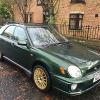
  4. Hello everybody Iv rescenly bought my first impreza Wrx awesome any advice on any decent mods and where to start would much greatful as I want it to be animal cheers
Background Picker
Customize Layout

Account

Navigation

Search

Configure browser push notifications

Chrome (Android)
  1. Tap the lock icon next to the address bar.
  2. Tap Permissions → Notifications.
  3. Adjust your preference.
Chrome (Desktop)
  1. Click the padlock icon in the address bar.
  2. Select Site settings.
  3. Find Notifications and adjust your preference.