Do Not Sell My Personal Information Jump to content
View in the app

A better way to browse. Learn more.

Subaru Owners Club UK | Subaru Forums

A full-screen app on your home screen with push notifications, badges and more.

To install this app on iOS and iPadOS
  1. Tap the Share icon in Safari
  2. Scroll the menu and tap Add to Home Screen.
  3. Tap Add in the top-right corner.
To install this app on Android
  1. Tap the 3-dot menu (⋮) in the top-right corner of the browser.
  2. Tap Add to Home screen or Install app.
  3. Confirm by tapping Install.

MangaScoob2000Turbo

Members
  • Joined

  • Last visited

  1. alright pal - just registered - dont really know anyone in the area really :)
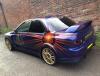
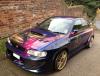
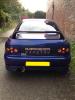
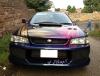
  2. hiya yes it turns heads lol :) yes - dump valve and turbo boost - massive exhaust, rear door handles off, its got buttons to release the back doors hand made aluminium front wings and arches and rear wheel arches - its rather fat! :)
  3. Hi all - nice to meet ya's had loads done before I bought it what do you think?
Background Picker
Customize Layout

Configure browser push notifications

Chrome (Android)
  1. Tap the lock icon next to the address bar.
  2. Tap Permissions → Notifications.
  3. Adjust your preference.
Chrome (Desktop)
  1. Click the padlock icon in the address bar.
  2. Select Site settings.
  3. Find Notifications and adjust your preference.