
Do Not Sell My Personal Information Jump to content
View in the app

A better way to browse. Learn more.

Subaru Owners Club UK | Subaru Forums

A full-screen app on your home screen with push notifications, badges and more.

To install this app on iOS and iPadOS
  1. Tap the Share icon in Safari
  2. Scroll the menu and tap Add to Home Screen.
  3. Tap Add in the top-right corner.
To install this app on Android
  1. Tap the 3-dot menu (⋮) in the top-right corner of the browser.
  2. Tap Add to Home screen or Install app.
  3. Confirm by tapping Install.

Tom Morgan

Members
  • Joined

  • Last visited

Everything posted by Tom Morgan

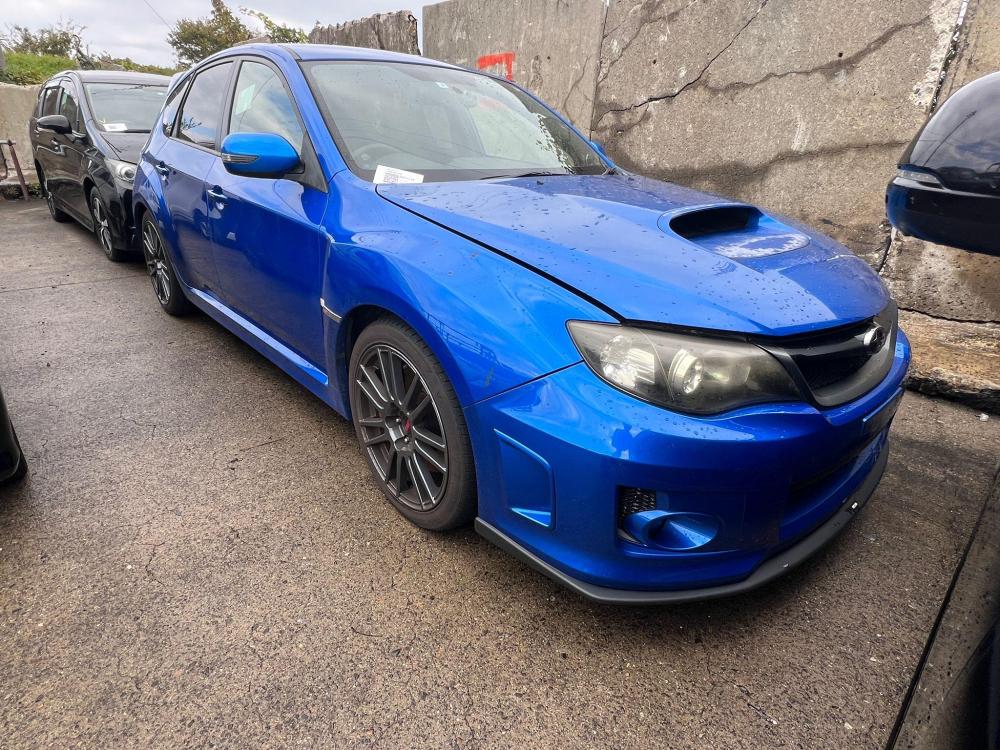
  1. Afternoon all, I’m new to owning a Subaru and was just after some advice, I own other modified cars but am struggling to insure this one, whos the go to for insuring a grb spec c Subaru? also on another note, anyone know the value of these kinda things? I know it’s only worth what someone’s willing to pay but just trying to gauge Interest, cheers all pfa- enroute from Japan
Background Picker
Customize Layout

Account

Navigation

Search

Configure browser push notifications

Chrome (Android)
  1. Tap the lock icon next to the address bar.
  2. Tap Permissions → Notifications.
  3. Adjust your preference.
Chrome (Desktop)
  1. Click the padlock icon in the address bar.
  2. Select Site settings.
  3. Find Notifications and adjust your preference.