LegacySpecB
Members
-
Joined
-
Last visited
-
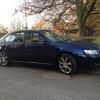 I guess if somebody turns up with the cash in hand I would let her go and get the bus to work.
 -
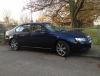
The pic in the background was taken in the Lake District back in November, had a cracking drive up there 500 mile round trip 30 MPG and not an aching muscle in sight - I am gonna miss this ultimate Q car! :(
-
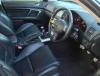
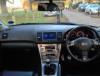
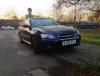
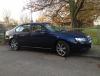
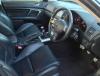
I am getting a company car and I cannot afford to keep it as a second car, sad to say it she has to go. I bought it back in October and had big plans for her, I have only managed to fit new poly bushes on the front anti roll bar and new drop links. She is just about to do 90k and the MOT runs till end of August and tax till end of May 2014. The previous owner fitted a Longlife stainless steel exhaust from the cat back, sounds good but doesn't upset the neighbours when you leave for work at silly o'clock. the body work is pretty good for an 8 year old motor and interior is standing up as you would expect. She wants for nothing and everything works as it should. I am in Hampton Court in the evenings and St Margaret's during the day, pm me for a viewing or call me on 07933410021

-
.