


dannyboyT
Members
-
Joined
-
Last visited
Everything posted by dannyboyT
-
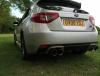
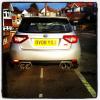 Selling my sti 08 Prodrive back box, no problems with it, condition is very good, just ovious scratches from road grit and ****. Open to offers, have a rough price in mind but try me, pics will follow shortly. Contact me: danny [email protected]
 -
Still selling the Subaru! Price drop from £14.700 to £14.000.....
-
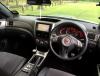
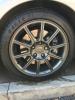
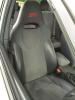
More high quality pictures can be sent on request, cant believe the lack of actual genuine interest on this car!! When i first saw it come online for sale i jumped at it! im thinking that people are maybe not too keen on this shape, but as we all know pictures do no justice, and this is a prime example!
-
Thanks for looking at the add, car really is an absolute machine, i did try linking the add to your previous comment, but being new here i couldn't work out how to do it. Don't fancy making an offer than ' Jay762 ' open to offers, or not quite what your looking for??
-
This car is also on pistonheads, either view add on site for further details, or pm me! http://www.pistonheads.com/classifieds/used-cars/subaru/impreza-sti/subaru-impreza-im6-wrx-sti-2008/2662978?isexperiment=true
-
 Has to be Straight pipes
 -
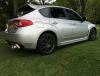
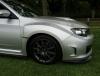
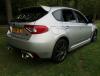
just a few pics of my beast, more will be uploaded as time goes on as im always adding


