Do Not Sell My Personal Information Jump to content
View in the app

A better way to browse. Learn more.

Subaru Owners Club UK | Subaru Forums

A full-screen app on your home screen with push notifications, badges and more.

To install this app on iOS and iPadOS
  1. Tap the Share icon in Safari
  2. Scroll the menu and tap Add to Home Screen.
  3. Tap Add in the top-right corner.
To install this app on Android
  1. Tap the 3-dot menu (⋮) in the top-right corner of the browser.
  2. Tap Add to Home screen or Install app.
  3. Confirm by tapping Install.

lucascooby7

Members (FB)
  • Joined

  • Last visited

  1. lucascooby7 changed their profile photo
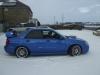
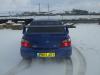
  2. Hi, I'm trying to find the current owner of this vehicle PN05AOY as it was sold by my mother after my father passed away whilst I was away on holiday!! She stole the v5 document and transferred the car in to her name and got my uncle to sell it so I wouldn't know!! It was a fews ago now but not had the funds available to try and find the car it was sold to a guy who lives in Scotland so if anyone knows where it is or knows the person who owns the vehicle please get in touch with me!! As it would make me the happiest guy in the world!! thanks for reading Luke Davin
Background Picker
Customize Layout

Account

Navigation

Search

Configure browser push notifications

Chrome (Android)
  1. Tap the lock icon next to the address bar.
  2. Tap Permissions → Notifications.
  3. Adjust your preference.
Chrome (Desktop)
  1. Click the padlock icon in the address bar.
  2. Select Site settings.
  3. Find Notifications and adjust your preference.