Dennyp
Members
-
Joined
-
Last visited
-
Yea defo I love rally flaps on a scoob but because black on black couldn't really see em I hated the wheels anyway lol
-
Well last couple of weekends I've been bored So decided to do a couple of minor mods to the car
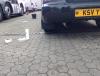
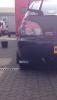
-
No it works on levelling sensors mate
-
Hi
-
Ah right hmmmm wonder if you can retrofit a automatic adjuster as the motors are there My lights are factory fit hid think there 5000k
-
Very nice mate There lethal at night That's why I want to disconnect the motors that level the headlamps
-
Spoiler looks bit strange from back but never really see it from there lol Lol no !Removed! auto levelling headlights. At mo I can see 10 foot in front of car, I'm looking to find out what wires power the headlight motors so I can disconnect them
-
Thanks mate So do (except for the stupidest headlight system known to man lol )
-
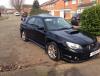
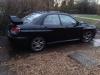
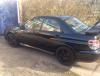
Hi all I've got a late 05 hawkeye (cheaper tax :-) ) From Leighton buzzard Right side of 40 just lol My cars below