


matt94
Members
-
Joined
-
Last visited
Everything posted by matt94
-
Good stuff. Cheers lads!
-
Cheers guys, the one I'm looking at is at a garage and has full service history and 50k on the clock. I was just curious, i hope that they haven't had to drill any more holes that wont be covered up by the original.
-
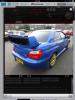
Hi all, In the next few weeks if everything works out i am hoping to buy my first Subaru :) I am looking for a 2.0l Impreza Wrx Sti (Blobeye) and was just wondering if anyone had any pointers or things i should look out for when buying. Other things on my mind are, Where is the best place to buy genuine spares from in the UK? Is there anyone on here who knows much about exterior styling? I am looking at a car at the moment which seems to tick all my boxes, however it has the WRC style spoiler and i think it ruins the car. How will it be attached? Are they easy to take off without leaving any damage? And where would i buy a genuine replacement? Also would anyone recommend a good garage in the Lancashire area if anything needs doing? Finally can someone explain what the difference is if the car is a widetrack edition? And are all the 2005 onwards widetrack? Cheers, Matt

