snoopy_410
Members
-
Joined
-
Last visited
-
 Thanks Dave I will have a go at that when the new pipes arive, also ordered a boost gauge to check it's not over boosting after, it's my fav shape too :-)
 -
Yea I know I need it I just wanted to know if the pill will be ok in a new silicone hose but found it, thanks
-
thanks jay, and that's what I needed pete thanks :-) one other thing I have found that 4mm silicone vacuum hoses fit well but would I be able to transfer the restrictor pill from one pipe to the other? or should I just replace all the pipes but leave that one well alone?
-
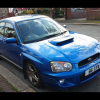
Hi all im Matt, Im new to owning an impreza and I am quite happy. The car is a 2003 2.0 wrx ppp with TBE and induction kit, it sounds great and goes like a rocket, only possible problem that I have is it may have boost creep, its only happened once but 2 days ago in 5th accelerating it cut fuel and put management light on, I have cleaned the boost solenoid and examined the solenoid pipes, I am not happy with one of them as its cracking and perished, where would be the best place to get one from? also in which pipe is the pill and what would it look like? will try to upload a pic on my new toy