tomkilbourn
Members (FB)
-
Joined
-
Last visited
-
 Thanks for the link, yeah that is interesting it looks as though they come as one piece - including the skirts. I assumed they were just a separate piece of thin plastic strip. If they are all one piece then I know what to look for!! :)
 -
Hello, yeah I was thinking a breakers yard too but its the whole process of having to phone them up and trying to describe what I want. Is the plastic strip part of the skirt strip or skirting seal? I dont know what correct search term to use to actually search for it online :)
-
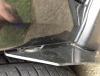
Hello everyone, I need to find where I can purchase a replacement piece of plastic (or is it rubber?) sealing strip, as mine has cracked off where the mudflap is attached. I was going to glue it back on but have lost it!! Im not too sure what the strip is called, but you can see it in the photo where it has cracked by the mudflap bolt washer. If anyone could let me know where I can purchase some I will be eternally grateful!! Cheers, Tom