


Firelight76
Members
-
Joined
-
Last visited
-
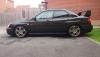
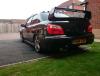
She needs a fair bit of love, the pictures make her look a lot better than than she does up close. Needs the front wings replaced or repaired as rust coming through. Bonnet needs replacing mainly because of the bonnet pins have ruined the paintwork and the scoop wasn't sprayed very well. There's a spot of rust above the front windscreen as well that needs looking at soon as well maybe. She's not as loud as she was, I've had the ninja exhaust put on, it's loud when it needs to be but rumbles nicely just pottering about.
-
I don't think so, the engine was rebuilt using an sti engine sourced elsewhere. I hope it looks clean, spent most of the day cleaning and polishing her!
-
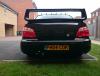
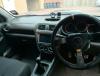
Pics as promised!
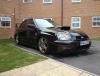
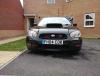
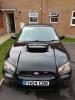
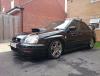
-
Nothing major really, shes already got quite a bit on already! Just wanna get her cleaned up a bit, the 184,000 miles on the clock starting to show in places!!
-
Hi peeps! Just got my 04 Impreza today! Not driven her much, and will post pics tomorrow once she's cleaned inside and out. I believe the car once belonged to iNeoTom from here. She's had her engine rebuilt using donor parts from an STI engine. Looking forward to lots of happy motoring with the beast! Pics tomorrow!


