
Do Not Sell My Personal Information Jump to content
View in the app

A better way to browse. Learn more.

Subaru Owners Club UK | Subaru Forums

A full-screen app on your home screen with push notifications, badges and more.

To install this app on iOS and iPadOS
  1. Tap the Share icon in Safari
  2. Scroll the menu and tap Add to Home Screen.
  3. Tap Add in the top-right corner.
To install this app on Android
  1. Tap the 3-dot menu (⋮) in the top-right corner of the browser.
  2. Tap Add to Home screen or Install app.
  3. Confirm by tapping Install.

Barry F

Members (FB)
  • Joined

  • Last visited

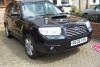
  1. Barry F changed their profile photo
  2. I had both my headlights taken out by a chump driving on the wrong side of the road but I'm having great difficulty in finding replacements. My garage says I can't put ordinary (non-xenon/HID) lights in because they're connected to the ECU... My car's a 2006 Forester 2.5XT (facelift model...) Any advice/help would be appreciated. :)
  3. Just to say Hi... I've had an 2001 Legacy Outback for a while but she is getting tired... Fortunately a chum pointed me in the direction of a 2006 Forester XT & I'm loving it.... auto (unfortunately) but still quick..:)) Your forum has already helped by pointing me in the direction of a local(ish) service -MKG3000 - who seem to have a good following..
Background Picker
Customize Layout

Account

Navigation

Search

Configure browser push notifications

Chrome (Android)
  1. Tap the lock icon next to the address bar.
  2. Tap Permissions → Notifications.
  3. Adjust your preference.
Chrome (Desktop)
  1. Click the padlock icon in the address bar.
  2. Select Site settings.
  3. Find Notifications and adjust your preference.