Do Not Sell My Personal Information Jump to content
View in the app

A better way to browse. Learn more.

Subaru Owners Club UK | Subaru Forums

A full-screen app on your home screen with push notifications, badges and more.

To install this app on iOS and iPadOS
  1. Tap the Share icon in Safari
  2. Scroll the menu and tap Add to Home Screen.
  3. Tap Add in the top-right corner.
To install this app on Android
  1. Tap the 3-dot menu (⋮) in the top-right corner of the browser.
  2. Tap Add to Home screen or Install app.
  3. Confirm by tapping Install.

Savvie77

Members
  • Joined

  • Last visited

Everything posted by Savvie77

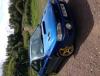
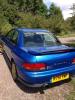
  1. Looks a lot better today as ive just had it valeted, really don't wana sell now but its just gettin wasted parked up in the garage.
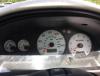
  2. Hope u can see these pics, not sure if i have done this rite! The cars had 7 owners, myself being the 7th, ive owned it for 4 years and done approx 6000 miles in that time, i did sorn the car for a year whilst i was out of the country.
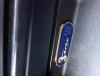
  3. Hi, im not sure how you post pics on here, can u advise please
  4. Number 4 of only 333 made. New mot and tax till end of august. Completely standard. For sale as doesnt get used, 102500 miles on the clock. £2400. South wales

Background Picker
Customize Layout

Account

Navigation

Search

Configure browser push notifications

Chrome (Android)
  1. Tap the lock icon next to the address bar.
  2. Tap Permissions → Notifications.
  3. Adjust your preference.
Chrome (Desktop)
  1. Click the padlock icon in the address bar.
  2. Select Site settings.
  3. Find Notifications and adjust your preference.