
Do Not Sell My Personal Information Jump to content
View in the app

A better way to browse. Learn more.

Subaru Owners Club UK | Subaru Forums

A full-screen app on your home screen with push notifications, badges and more.

To install this app on iOS and iPadOS
  1. Tap the Share icon in Safari
  2. Scroll the menu and tap Add to Home Screen.
  3. Tap Add in the top-right corner.
To install this app on Android
  1. Tap the 3-dot menu (⋮) in the top-right corner of the browser.
  2. Tap Add to Home screen or Install app.
  3. Confirm by tapping Install.

karloswrxsti

Members
  • Joined

  • Last visited

Everything posted by karloswrxsti

  1. Hi guys, Does anyone know if the hazard warning switch is supposed to flash on the new wrx sti as just discovered mine doesnt but it does flash the indicators and lights up when the lights are on at night but does not flash with dash lights. I have had the car a year now and this is the first time i have used them. Regards
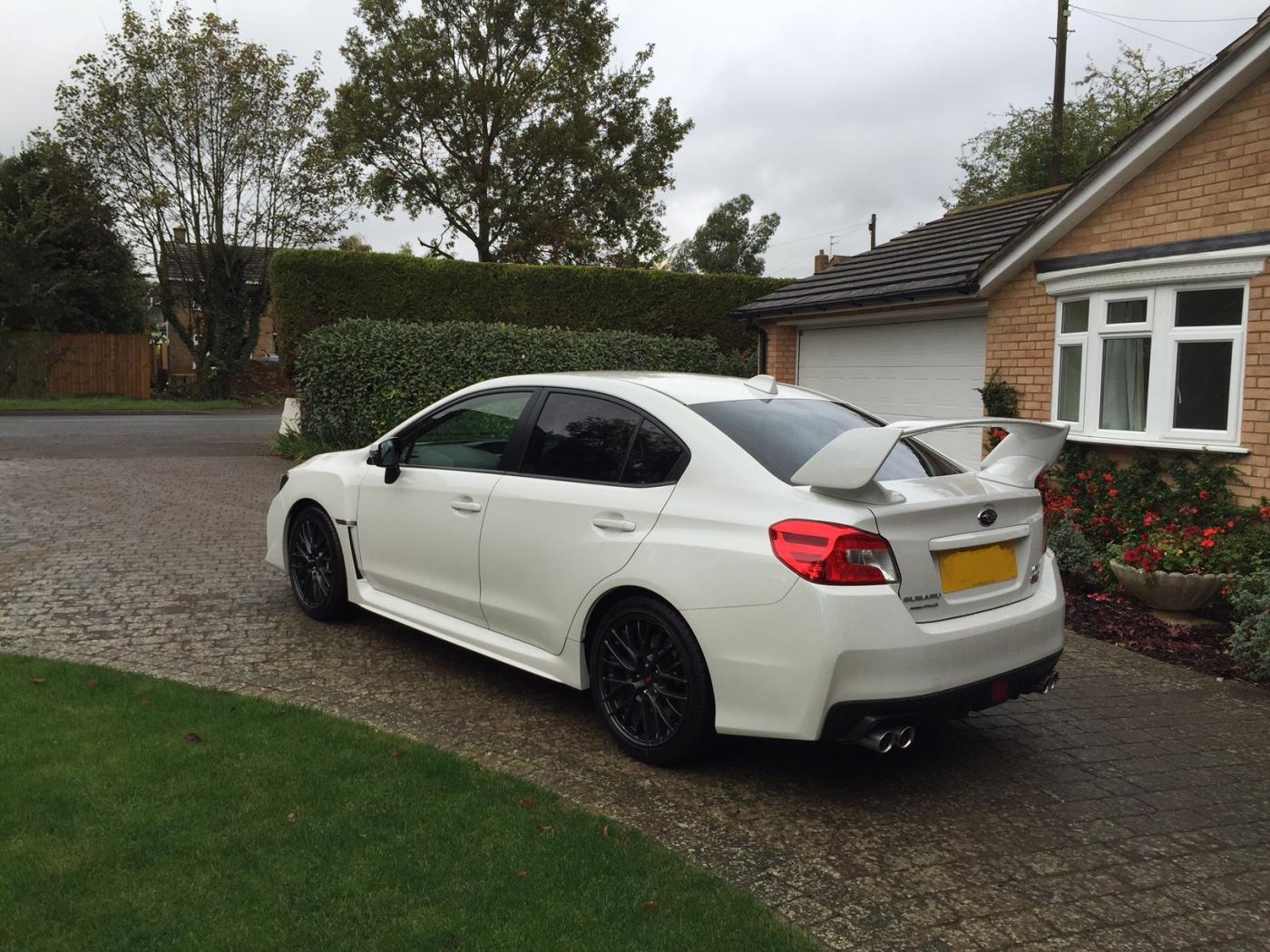
  2. Ive had mine a year now and still loving it. The only thing i have changed is the head unit which was !Removed! to a pioneer SPH DA 120 apple play unit which is fantastic and can use the iphone as a satnav. I want to upgrade the power but not sure what to do or how much it would cost and what effect it will have on the mpg. At the moment it has averaged 23mpg but still only done 3500 miles as its my second car/week end car. My daily car is a 3L Audi A6 quattro. Any suggestions on what upgrades to have and where to go.
Background Picker
Customize Layout

Account

Navigation

Search

Configure browser push notifications

Chrome (Android)
  1. Tap the lock icon next to the address bar.
  2. Tap Permissions → Notifications.
  3. Adjust your preference.
Chrome (Desktop)
  1. Click the padlock icon in the address bar.
  2. Select Site settings.
  3. Find Notifications and adjust your preference.