Teddybear1983
Members
-
Joined
-
Last visited
Everything posted by Teddybear1983
-
Thanks for the input so far chaps, it currently as 97k on the clock, I was lucky enough to have the clutch replaced before i picked it up and an oil and filter change. I have had a minor problem of the EM light being on for about 24 hrs but then it disappeared at lunch time today, going to get it checked out tomorrow at some point. I've heard it could be something to do with the dump valve,how true could this be.
-
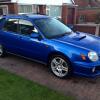
Hi all just picked up my first Subaru up on Sunday and must say love it to bits, its a 2001 wrx estate in world rally blue. Been an avid ford fanatic since I passed my driving test in 2001 and had nothing but fords, but decided the time had come to go down the Japanese route, and glad I did, wasn't expecting it to be as quick as it is in standard form. Would like to get more bhp for not a lot of money, what would you all suggest for a good starting mod. Thanks in advance.