Do Not Sell My Personal Information Jump to content
View in the app

A better way to browse. Learn more.

Subaru Owners Club UK | Subaru Forums

A full-screen app on your home screen with push notifications, badges and more.

To install this app on iOS and iPadOS
  1. Tap the Share icon in Safari
  2. Scroll the menu and tap Add to Home Screen.
  3. Tap Add in the top-right corner.
To install this app on Android
  1. Tap the 3-dot menu (⋮) in the top-right corner of the browser.
  2. Tap Add to Home screen or Install app.
  3. Confirm by tapping Install.

JamesSubaru

Members
  • Joined

  • Last visited

  1. Sent from my iPhone using Tapatalk
  2. Just like on this vid :-) http://youtu.be/auZx4Hiodsw Sent from my iPhone using Tapatalk
  3. Thanks guy I certainly will do! Seen people mention unequal headers but that seems like a fortune :-o My aim really to start with would to get the exhaust tone as close as to possible James :-) Sent from my iPhone using Tapatalk
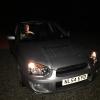
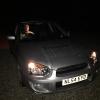
  4. Hey folks! Next week I'm buying a Blob eye 2.0 GX Impreza, cannot wait! As its my 21st birthday present :D Questions are; What can I do to it! Naturally going to get an sti spoiler, but what can I do to the engine? And what exhaust will make it close to sounding like a subaru should? Thanks in advance!!! :-) James

Background Picker
Customize Layout

Account

Navigation

Search

Configure browser push notifications

Chrome (Android)
  1. Tap the lock icon next to the address bar.
  2. Tap Permissions → Notifications.
  3. Adjust your preference.
Chrome (Desktop)
  1. Click the padlock icon in the address bar.
  2. Select Site settings.
  3. Find Notifications and adjust your preference.