


bugeye86
Members
-
Joined
-
Last visited
-
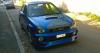
. finally got round to painting bumper n wings

-
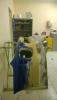
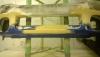
finally got few hour on bumper slowly getting there
-
does need dropping abit on arch was just quick fit to see what looked like as **** load bigger than fort it was gonna be

-
Yeah looking at eventually getting new wheels,rear vortex lip with corner spats,sti rear spoiler. which hopefully look ok but was hoping to get away with keeping side skirts as cant find others I like....
-
splitter turned up today so gave it quick rub down n fitted....unsure about it tho


-
Yeah need get pic sorted somewhen,not gonna find much better then yours lol
-
hi could someone tell me what grill this is please n best place to buy one??
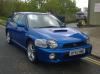
 Hi I've had my Scooby about a month now. long way to go, just few pics as go longfinally got bit time to do some bits to Scooby

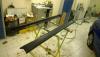
 I know stibuyeyes same as what I fort to start with.couldn't see it so put phone down back of engine took few pics n that's what I saw,looked like right bodge





Account
Navigation
Search
Configure browser push notifications
Chrome (Android)
- Tap the lock icon next to the address bar.
- Tap Permissions → Notifications.
- Adjust your preference.
Chrome (Desktop)
- Click the padlock icon in the address bar.
- Select Site settings.
- Find Notifications and adjust your preference.
Safari (iOS 16.4+)
- Ensure the site is installed via Add to Home Screen.
- Open Settings App → Notifications.
- Find your app name and adjust your preference.
Safari (macOS)
- Go to Safari → Preferences.
- Click the Websites tab.
- Select Notifications in the sidebar.
- Find this website and adjust your preference.
Edge (Android)
- Tap the lock icon next to the address bar.
- Tap Permissions.
- Find Notifications and adjust your preference.
Edge (Desktop)
- Click the padlock icon in the address bar.
- Click Permissions for this site.
- Find Notifications and adjust your preference.
Firefox (Android)
- Go to Settings → Site permissions.
- Tap Notifications.
- Find this site in the list and adjust your preference.
Firefox (Desktop)
- Open Firefox Settings.
- Search for Notifications.
- Find this site in the list and adjust your preference.