byrnesy8
Members
-
Joined
-
Last visited
Everything posted by byrnesy8
-
Cheers mate need some bits and bobs done to it, any ideas for the engin bay?
-
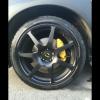
They were already on when i picked it up so gonna keep it on
-
Im going this year i go every year be nice to see a few of yous there like
-
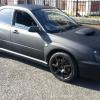
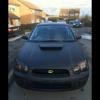
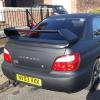
Im from walker in newcastle Matte black 03 blobeye wrx and havent a clue about mods haha *useless*
-
Ah haha i have just realised haha that will be my son loving the turbos from a young age
-
The batman effect haha
-
Its paint mate bought it all the way it is like haha
-
Nah but i can download it nowAye im just trying to work out how to upload them as im using my phone, and aye i know it was since i passed my test always wanted one but insurance put me off the last week i thought f**k it im getting one hahaAlreet everyone just bought a 2003 inpreza wrx blobeye and i absolutely love it safe to say i have been after one for 8 year now and eventually got one :)