
Do Not Sell My Personal Information Jump to content
View in the app

A better way to browse. Learn more.

Subaru Owners Club UK | Subaru Forums

A full-screen app on your home screen with push notifications, badges and more.

To install this app on iOS and iPadOS
  1. Tap the Share icon in Safari
  2. Scroll the menu and tap Add to Home Screen.
  3. Tap Add in the top-right corner.
To install this app on Android
  1. Tap the 3-dot menu (⋮) in the top-right corner of the browser.
  2. Tap Add to Home screen or Install app.
  3. Confirm by tapping Install.

Sxvmark

Members
  • Joined

  • Last visited

  1. Thanks mate will go for that me thinks 1.5 k is about what I'd thought 2k if my cranks no good cheers
  2. Closed deck that is
  3. What sort of money am I looking at to do a rebuild like yours mind you mines an open deck block so may have to find a knicked one
  4. wiThink I'll go your route your build seem the way I would go 350 bhp will do me plenty enough for road use
  5. Lol cheers Jay needs a bit of engine work bottom end but the rest of the cars quite good
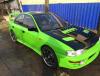
  6. Just saying hi just aquired a wrx v2 that needs botto end doing but other than that it's my 1St scooby ive had most makes so I now have the green meanie ..... Well hopefully it will be.
Background Picker
Customize Layout

Account

Navigation

Search

Configure browser push notifications

Chrome (Android)
  1. Tap the lock icon next to the address bar.
  2. Tap Permissions → Notifications.
  3. Adjust your preference.
Chrome (Desktop)
  1. Click the padlock icon in the address bar.
  2. Select Site settings.
  3. Find Notifications and adjust your preference.