Bugeyesean
Members
-
Joined
-
Last visited
-
I think it's a patience thing?? I hate messing with fiddly things and getting my hands into the jam packed subaru engine no chance! Well I did change my air filter to a cosworth one by myself
-
Cheers I'm sure il get to learn a lot more on here about the car over time. I was in the civic type R groups with my last car and these sites helped me out a lot.im also not very handy with a spanner being a plasterer I'm very heavy handed lol I do love the way the car handles so so easy to correct understeer. Can't wait to take it to a track see what it can do don't really speed on the roads take it easy most of the time just off the lights every now and then love seeing people's reaction when they catch up lol
-
Cheers I'm still getting used of the car going from 200bhp civic with no turbo to this beast of a car with a claimed 280!! It's a bit rear endy in the wet which I didn't expect but so easy to handle looking forward to the car shows this year
-
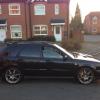
280 bhp (claimed) brembo calipers wr1 alloys forge dumpvalve and a big boot more to come soon when I get more ££££
-
Searched the Internet
-
I'm Sean I'm new to subaru had my bugeye wrx wagon for around three months now.claimed to have 280 bhp got a full decat exhaust remaped wr1 alloys its a big change from my last car ep3 civic type R which was a bit slower than the subbie