Do Not Sell My Personal Information Jump to content
View in the app

A better way to browse. Learn more.

Subaru Owners Club UK | Subaru Forums

A full-screen app on your home screen with push notifications, badges and more.

To install this app on iOS and iPadOS
  1. Tap the Share icon in Safari
  2. Scroll the menu and tap Add to Home Screen.
  3. Tap Add in the top-right corner.
To install this app on Android
  1. Tap the 3-dot menu (⋮) in the top-right corner of the browser.
  2. Tap Add to Home screen or Install app.
  3. Confirm by tapping Install.

Swaby92

Members
  • Joined

  • Last visited

Everything posted by Swaby92

  1. Ayy cant be as freaky as the conversation they will end up having with me lol
  2. 078 no worries
  3. Sorry for late reply cheers for putting pic up lol fozzy al message you my number am gutted really but not happy with it being on legacy
  4. Cusco strut brace came off a classic but fitted my legacy £50 collected from grimsby
  5. Been in country just under 4 year bought it of a japanese guy whos had it the whole time been off tje road the past 2 years before I got it the other day
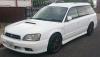
  6. Hi finally got my own scooby after growing up with them hope to see a few of you about look out for a white gt-b ;)


Background Picker
Customize Layout

Configure browser push notifications

Chrome (Android)
  1. Tap the lock icon next to the address bar.
  2. Tap Permissions → Notifications.
  3. Adjust your preference.
Chrome (Desktop)
  1. Click the padlock icon in the address bar.
  2. Select Site settings.
  3. Find Notifications and adjust your preference.