


emilski
Members
-
Joined
-
Last visited
-
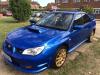
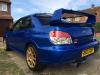
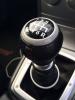
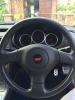
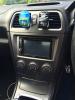
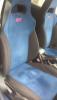
Hawkey STI Registered december 2007 Full service history at Subaru clinic with last one at a performance garage MOT till March 2016 Excellent condition throughout All history and paperwork available. Includes a Subaru fitted META tracker Kenwood Stereo with receipt and manuals included , has sat bav (£900 new ) Number Plate S600GBY included no transfer fees as registered to vehicle ( worth over £ 500 ) New Bridgestone tyres fitted june 2015 Ne clutch fitted March 2015 Prodrive pack from new with certificate Please contact for further details. Selling due to arrival of new vehicle No time wasters, test pilots etc PRICED TO SELL 07761482373 Thank you
-
Hawkey STI Registered december 2007 Full service history at Subaru clinic with last one at a performance garage MOT till March 2016 Excellent condition throughout All history and paperwork available. Includes a Subaru fitted META tracker Kenwood Stereo with receipt and manuals included , has sat bav (£900 new ) Number Plate S600GBY included no transfer fees as registered to vehicle ( worth over £ 500 ) New Bridgestone tyres fitted june 2015 Ne clutch fitted March 2015 Prodrive pack from new with certificate Please contact for further details. Selling due to arrival of new vehicle No time wasters, test pilots etc PRICED TO SELL 07761482373 Thank you


