Do Not Sell My Personal Information Jump to content
View in the app

A better way to browse. Learn more.

Subaru Owners Club UK | Subaru Forums

A full-screen app on your home screen with push notifications, badges and more.

To install this app on iOS and iPadOS
  1. Tap the Share icon in Safari
  2. Scroll the menu and tap Add to Home Screen.
  3. Tap Add in the top-right corner.
To install this app on Android
  1. Tap the 3-dot menu (⋮) in the top-right corner of the browser.
  2. Tap Add to Home screen or Install app.
  3. Confirm by tapping Install.

stuart w

Members
  • Joined

  • Last visited

  1. Images added to a gallery album owned by stuart w in Subaru Owners Gallery - Albums
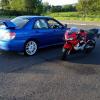
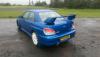
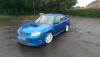
    My very first Scooby more will definitely follow.
  2. Thanks I've always been modifying my cars from I passed my test lol last car was an Audi s3 Quattro and a Toyota supra before that , petrol in the blood haha
  3. Thanks mate I will be having a look round tonight to see how the form is set up also check out some off the pics off other members cars :)
  4. Thanks mate enjoying it very much :) , have a years warranty with the car so going to save some cash up then I may start upgrading the engine a little maby a new turbo or some beefy internals cams ect but just loving the amount off grip these cars have in the bends . Great machine.
  5. Hello all recently became the owner of no 233 Subaru gb270, have to say one off the best cars I've ever bought. Very pleased with it.
Background Picker
Customize Layout

Account

Navigation

Search

Configure browser push notifications

Chrome (Android)
  1. Tap the lock icon next to the address bar.
  2. Tap Permissions → Notifications.
  3. Adjust your preference.
Chrome (Desktop)
  1. Click the padlock icon in the address bar.
  2. Select Site settings.
  3. Find Notifications and adjust your preference.