Do Not Sell My Personal Information Jump to content
View in the app

A better way to browse. Learn more.

Subaru Owners Club UK | Subaru Forums

A full-screen app on your home screen with push notifications, badges and more.

To install this app on iOS and iPadOS
  1. Tap the Share icon in Safari
  2. Scroll the menu and tap Add to Home Screen.
  3. Tap Add in the top-right corner.
To install this app on Android
  1. Tap the 3-dot menu (⋮) in the top-right corner of the browser.
  2. Tap Add to Home screen or Install app.
  3. Confirm by tapping Install.

SyPayne

Members
  • Joined

  • Last visited

  1. Resist m8 keep your scooby bud you no you'll miss it when it's gone lol
  2. Phil m8 your wagons nice bud clean as be nice too see ya about one day m8
  3. Yeh m8 not far off
  4. not of Lynn myself m8 Dersingham m8 you?
  5. My scooby Pics needs a clean
  6. Can't upload the pics says its to big to upload
  7. Thanks bud it's not too bad still needs some bits it runs 380b
  8. Thanks m8
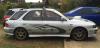
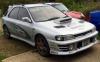
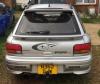
  9. Only just joined up just saying hi will put some pics on l8tr I have a Subaru Impreza WRX 1995 wagon best car I've ever had

Background Picker
Customize Layout

Configure browser push notifications

Chrome (Android)
  1. Tap the lock icon next to the address bar.
  2. Tap Permissions → Notifications.
  3. Adjust your preference.
Chrome (Desktop)
  1. Click the padlock icon in the address bar.
  2. Select Site settings.
  3. Find Notifications and adjust your preference.