
Do Not Sell My Personal Information Jump to content
View in the app

A better way to browse. Learn more.

Subaru Owners Club UK | Subaru Forums

A full-screen app on your home screen with push notifications, badges and more.

To install this app on iOS and iPadOS
  1. Tap the Share icon in Safari
  2. Scroll the menu and tap Add to Home Screen.
  3. Tap Add in the top-right corner.
To install this app on Android
  1. Tap the 3-dot menu (⋮) in the top-right corner of the browser.
  2. Tap Add to Home screen or Install app.
  3. Confirm by tapping Install.

Turkish

Members
  • Joined

  • Last visited

  1. Thought you may want to see the whole thing!! :P
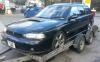
  2. Hi Everyone! Im Max but people call me Turkish so feel free to call me that!! I have just gone out and bought a Legacy GT for a Charity run I'm doing across Europe. Excited much :D Here she is: (just ignore the car trailer :P) Now she needs a bit of work doing, eg headgasket. She's a Jap import and graced the UK roads in 2007 and has 62,000 miles on the clock which i dont think is too bad. Solid underneath and everywhere else i could fit my little head to have a look. Really I'm on here to drum up a little support and help with my project. The drive is next year so have plenty of time to get it all sorted. Got loads of plans and wheels already in motion which i am more than happy to keep everyone updated with a little thread. Anyway I'm very chatty so will shut me mush now. Look forward to talking to you all.
Background Picker
Customize Layout

Account

Navigation

Search

Configure browser push notifications

Chrome (Android)
  1. Tap the lock icon next to the address bar.
  2. Tap Permissions → Notifications.
  3. Adjust your preference.
Chrome (Desktop)
  1. Click the padlock icon in the address bar.
  2. Select Site settings.
  3. Find Notifications and adjust your preference.