


Cornishwrx
Members
-
Joined
-
Last visited
-
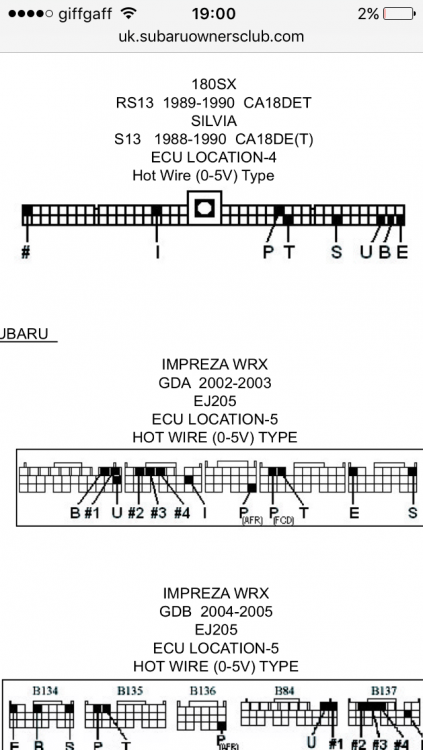
Or would it be the same as the ej205 as the newage models where 2001 and 2002 . Not 2002-2003 or did they change the ecu in 2002 ????
-
It's still not got the ecu diagram for a ej20 01 newage.... Ahh doing my head in lol
-
It's working for me , it's a full on low down from hks awesome
-
Wow where did you get that from cause the ones you get with the product are nowhere as in detail as that . well my brother will be happy lol he the one with the wiring jobs lol. good luck doing yours mate the timer and handbrake thing is easy. let me know how you get on ta
-
Hi all , new member ere. want to know if anyone knows or has fitted a type 1 hks timer to there car. i have a 2001 ej20 wrx newage Bugeye and have fitted the harness and handbrake wires easy.but me and my brother can not find where to put the rpm and speed wires. it says of the ecu but can not find a diagram or drawings anywhere on the net.we even thought of taking feeds of the wires behind the instrument panel,but still no diagrams or info.its running as a type 0 at the minute Any help would be great , many thanks mark

