
Do Not Sell My Personal Information Jump to content
View in the app

A better way to browse. Learn more.

Subaru Owners Club UK | Subaru Forums

A full-screen app on your home screen with push notifications, badges and more.

To install this app on iOS and iPadOS
  1. Tap the Share icon in Safari
  2. Scroll the menu and tap Add to Home Screen.
  3. Tap Add in the top-right corner.
To install this app on Android
  1. Tap the 3-dot menu (⋮) in the top-right corner of the browser.
  2. Tap Add to Home screen or Install app.
  3. Confirm by tapping Install.

mikemike180

Members
  • Joined

  • Last visited

  1. Does anyone have a link to the exact one i need to buy, thniking forge would be good so confused lol Mike
  2. Ok cheers guys Any other nice mods anyone knows about, pleaase let me know as they are rare to come buy Mike
  3. Thanks guys Yeah mate was looking to do a few little things to it, was wanting a dumb valve, turbo timer and nicer wheels, it's been remapped and doing 331bhp so happy enough with that. Any idea what kind or valve and turbo timer is best for me? Mike
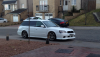
  4. Hi guys New to the site and just picked up my Legacy GT-B LOVE IT!!
Background Picker
Customize Layout

Account

Navigation

Search

Configure browser push notifications

Chrome (Android)
  1. Tap the lock icon next to the address bar.
  2. Tap Permissions → Notifications.
  3. Adjust your preference.
Chrome (Desktop)
  1. Click the padlock icon in the address bar.
  2. Select Site settings.
  3. Find Notifications and adjust your preference.
