
Do Not Sell My Personal Information Jump to content
View in the app

A better way to browse. Learn more.

Subaru Owners Club UK | Subaru Forums

A full-screen app on your home screen with push notifications, badges and more.

To install this app on iOS and iPadOS
  1. Tap the Share icon in Safari
  2. Scroll the menu and tap Add to Home Screen.
  3. Tap Add in the top-right corner.
To install this app on Android
  1. Tap the 3-dot menu (⋮) in the top-right corner of the browser.
  2. Tap Add to Home screen or Install app.
  3. Confirm by tapping Install.

2scoobiesowner

Members
  • Joined

  • Last visited

  1. Many thanks for info.....added it as another button not to be pressed cheers !!
  2. 2scoobiesowner changed their profile photo
  3. many thanks David1972 - now I know what it does - I will leave well alone for now LOL. or at least until I get used to the width of it. So glad to be on board now that I have found you all.
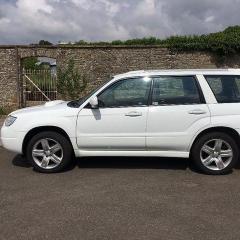
  4. Hi... purchased 09MY Forester 2.5 XTen auto a few weeks ago (to keep my wrx company) really pleased with it !! BUT can anybody explain what the (?) rocker switch does - that is next to the auto gear selector stick with POWER A/T HOLD written on it please ?? I am frightened to death to play with it (never owned an auto before in over 45 years of car ownership) also the gear selector stick has a gate that goes off to the left of the normal selections that has + and - ........ any help would be great LOL thanks
Background Picker
Customize Layout

Account

Navigation

Search

Configure browser push notifications

Chrome (Android)
  1. Tap the lock icon next to the address bar.
  2. Tap Permissions → Notifications.
  3. Adjust your preference.
Chrome (Desktop)
  1. Click the padlock icon in the address bar.
  2. Select Site settings.
  3. Find Notifications and adjust your preference.