Do Not Sell My Personal Information Jump to content
View in the app

A better way to browse. Learn more.

Subaru Owners Club UK | Subaru Forums

A full-screen app on your home screen with push notifications, badges and more.

To install this app on iOS and iPadOS
  1. Tap the Share icon in Safari
  2. Scroll the menu and tap Add to Home Screen.
  3. Tap Add in the top-right corner.
To install this app on Android
  1. Tap the 3-dot menu (⋮) in the top-right corner of the browser.
  2. Tap Add to Home screen or Install app.
  3. Confirm by tapping Install.

Matski

Members
  • Joined

  • Last visited

  1. Awesome Thanks everyone for being active and very helpful, now just need to get timing belt change and put her for real test :)
  2. Thanks Guys, we have a Shell garage here, but I heard few good and bad feedbacks about it(personaly I haven't meet any one who had a issues with the car because of it, but gossips going about) So I was hoping on someone with more experience from roundabouts. I will give a try Tescos 99 octane :) Thanks Again for all help
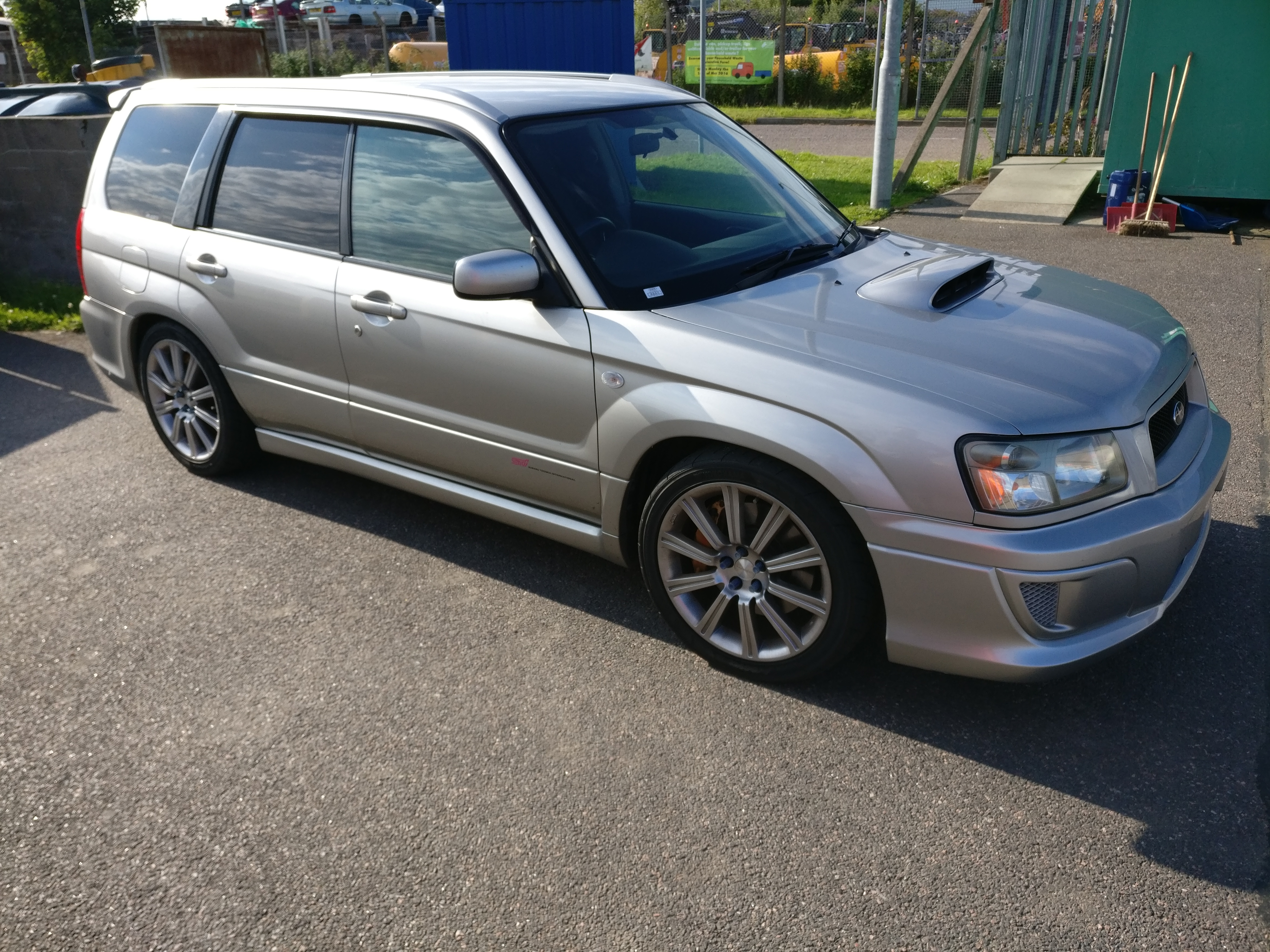
  3. Afcats- Thanks! I will give them a try with servie :) how about Garage (fuel) ? David1972- yes its sti 😀
  4. Thanks Mate, I hope too someone can help.
  5. Hi to everyone Im Matt, new to the club. Finally dream came true and Im fresh owner of Subaru :). I live in Inverness Highlands I also looking for advice where to fill her up, and where is safe to put car for maintenance. Many Thanks Matt

Background Picker
Customize Layout

Configure browser push notifications

Chrome (Android)
  1. Tap the lock icon next to the address bar.
  2. Tap Permissions → Notifications.
  3. Adjust your preference.
Chrome (Desktop)
  1. Click the padlock icon in the address bar.
  2. Select Site settings.
  3. Find Notifications and adjust your preference.