Jasper2447
Members
-
Joined
-
Last visited
-
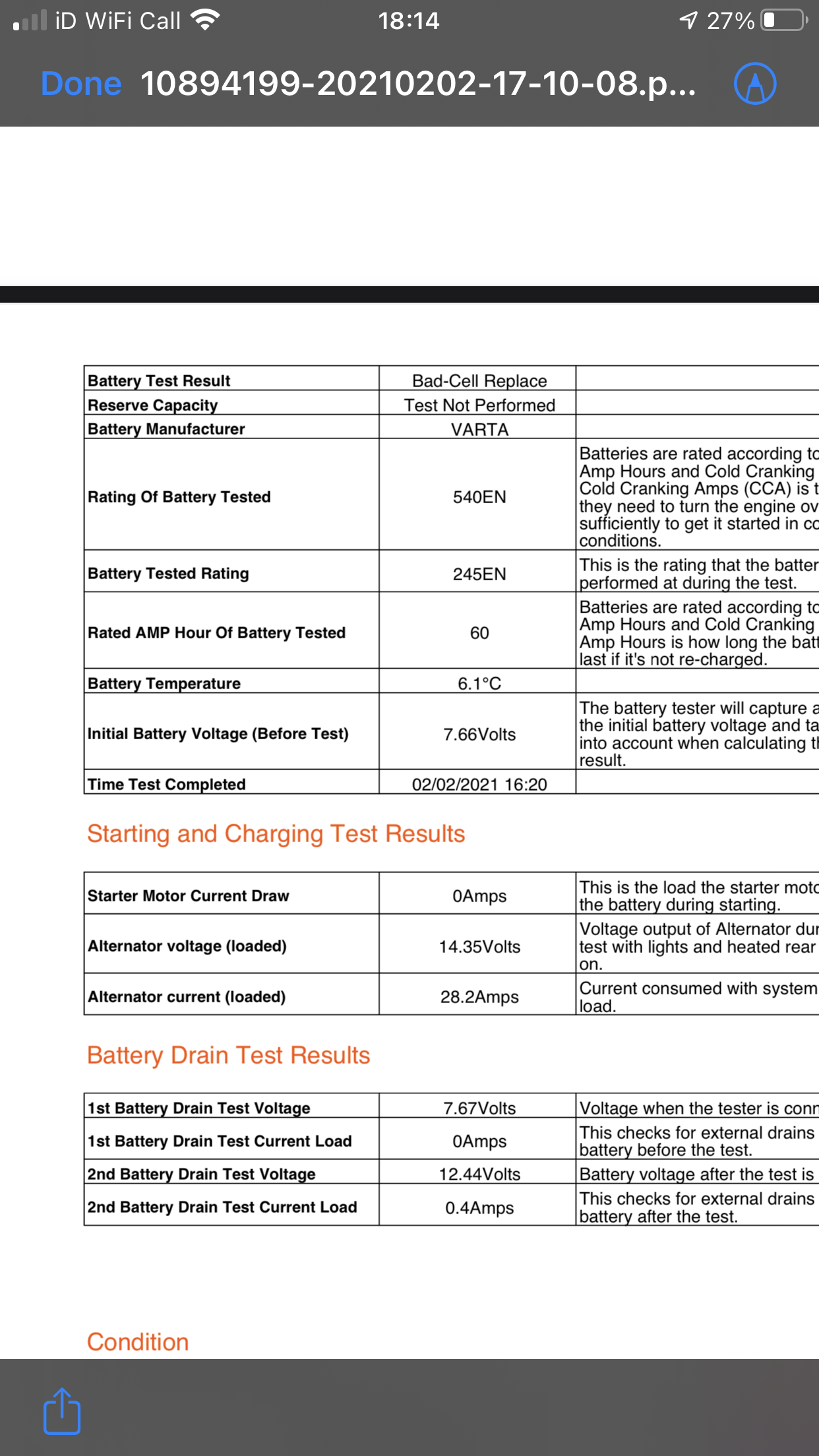
Our 19 plate Forester XT just let us down again. Third time in three months. only stood idle for two days. RAC tested battery and found one dead cell. This on a car with only 8,000 miles on the clock. RAC test showed parasitic drain minimal, within acceptable range. 0.4 A was with door open and therefore interior light on Due to the bad cell, they replaced battery (at cost to me of £130). I’ll certainly be pursuing the dealership for this to be refunded, when they deign to pick up the phone. It seems that Subaru have had a very poor batch of batteries.
-
Hi everyone. I've had my 66 plate Forester for a couple of months now and I'm delighted with it. However, there is one small niggley thing, which might be my ignorance, but I'm having awful problems with the rear tailgate. Either it won't open when I want it to, won't close when I want it to or gets halfway up or down and just stops !!! I'm getting fed up of people laughing at my antics in car parks or at the tip and I'm starting to use the rear passenger doors rather than risk the embarrassment. I also got back to my car one day last week to be told by people seated nearby that the alarm had been going off intermittently all afternoon! The owners' manual is pure gobbledegook and doesn't help at all. Please can anyone explain in simple English what I might be doing wrong and how to take off any height adjustment settings I might have inadvertently set , before it drives me completely MAD !!!