
Do Not Sell My Personal Information Jump to content
View in the app

A better way to browse. Learn more.

Subaru Owners Club UK | Subaru Forums

A full-screen app on your home screen with push notifications, badges and more.

To install this app on iOS and iPadOS
  1. Tap the Share icon in Safari
  2. Scroll the menu and tap Add to Home Screen.
  3. Tap Add in the top-right corner.
To install this app on Android
  1. Tap the 3-dot menu (⋮) in the top-right corner of the browser.
  2. Tap Add to Home screen or Install app.
  3. Confirm by tapping Install.

Mickyt

Members
  • Joined

  • Last visited

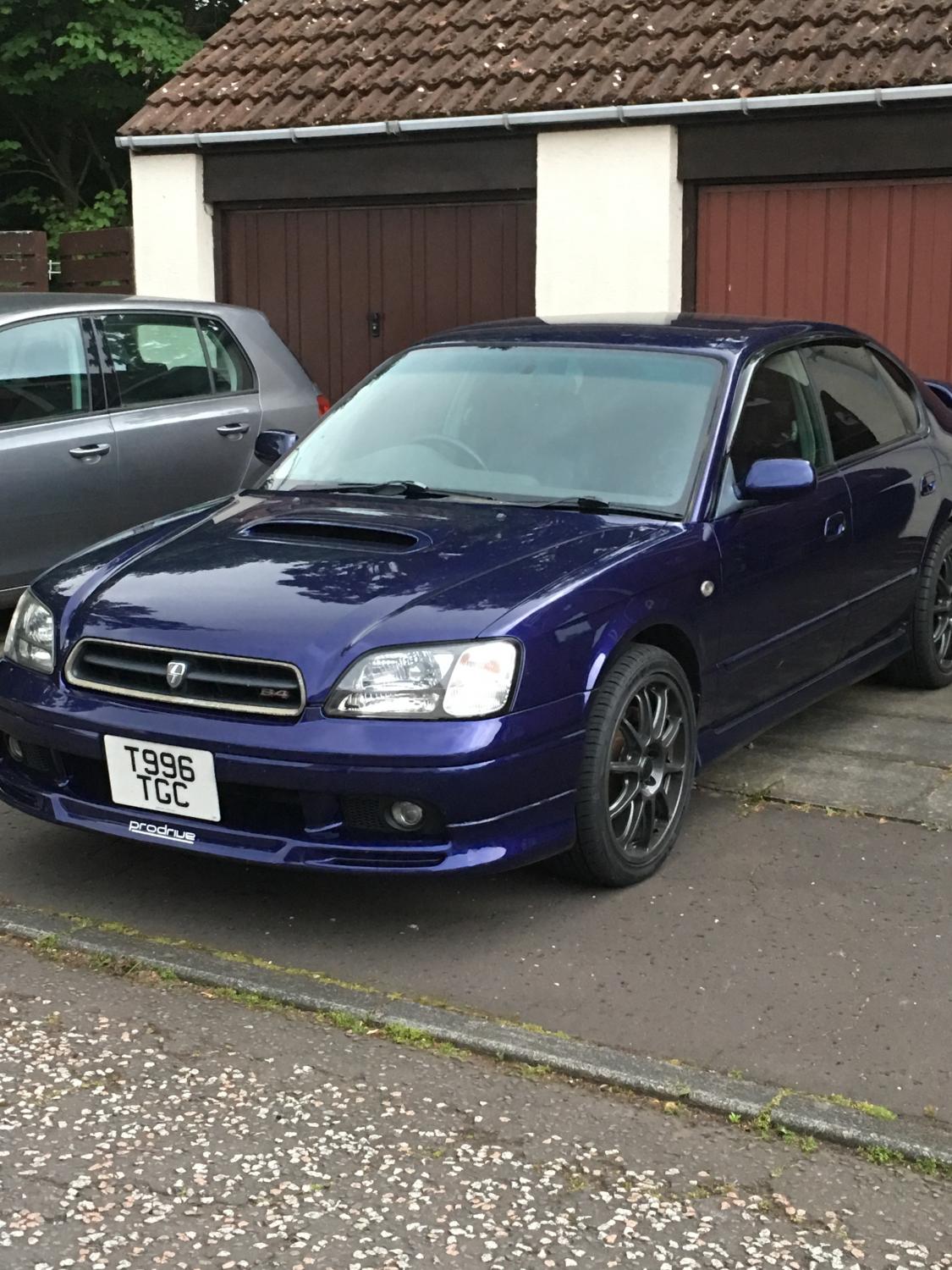
  1. Hi. Got a turbo issue with my legacy b4. The first stage turbo spools up but no power getting to engine. I’ve had it checked and the turbo works. Had the pipes, exhaust, hoses all checked but knowone seems to know why. Any advice would be welcome.
  2. Thanks, will get that checked
  3. Mickyt changed their profile photo
  4. Hi. Recently got my legacy B4 back after two years stuck in a garage. Had a new engine fitted to it but there power is rubbish. Not sure what I'm looking for. It has a dump valve fitted and someone told me that this maybe causing the issue. Also I know the previous engine was remapped and all I've changed is the engine. Everything else is original to the car. Any thoughts please would be welcome
  5. Hi all. Well I'm new to this forum stuff so please be gentle. I'm on my second Legacy B4 and love these cars. Just got mine back after 2 years in the garage ( don't ask ). About myself, well I'm a 30 something stuck in a 50 somethings body. Just a kid at heart. Being honest, I had no interest in scooby' s until I bought one on a whim. Loved it. Didn't realise what I was missing. Why did it take me so long 😉. Anyway, feel free to contact me as I'll be looking for advice.
Background Picker
Customize Layout

Configure browser push notifications

Chrome (Android)
  1. Tap the lock icon next to the address bar.
  2. Tap Permissions → Notifications.
  3. Adjust your preference.
Chrome (Desktop)
  1. Click the padlock icon in the address bar.
  2. Select Site settings.
  3. Find Notifications and adjust your preference.