
Do Not Sell My Personal Information Jump to content
View in the app

A better way to browse. Learn more.

Subaru Owners Club UK | Subaru Forums

A full-screen app on your home screen with push notifications, badges and more.

To install this app on iOS and iPadOS
  1. Tap the Share icon in Safari
  2. Scroll the menu and tap Add to Home Screen.
  3. Tap Add in the top-right corner.
To install this app on Android
  1. Tap the 3-dot menu (⋮) in the top-right corner of the browser.
  2. Tap Add to Home screen or Install app.
  3. Confirm by tapping Install.

Blasphonetic

Members
  • Joined

  • Last visited

  1. Not entirely sure yet. Wouldn't mind either a nameless or invidia exhaust with a tune, but any mods would be mild.. Nothing over the top. My wife wouldn't let me do anything too crazy lol... Will even have a hard time convincing her that the exhaust and tune would be beneficial lol.. Looking for some led taillights, different grille, and updated maps for the McIntosh infotainment system. Probably do the nav hack too if I can find detailed enough instructions.
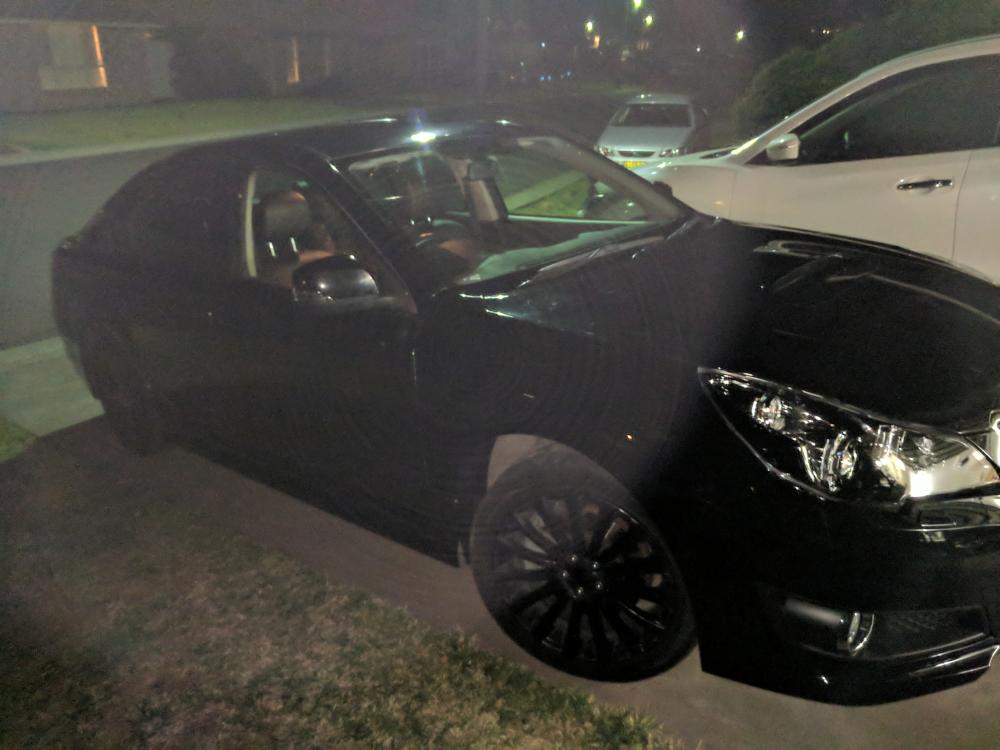
  2. Hey guys. Bought my first Subaru this week and just picked it up today. 2012 Liberty GT Premium. She's sweet as! Fits my style a little better than a WRX especially being a big body guy lol. I am already in love! Crappy pic doesn't do her justice, but it was dark outside..
Background Picker
Customize Layout

Account

Navigation

Search

Configure browser push notifications

Chrome (Android)
  1. Tap the lock icon next to the address bar.
  2. Tap Permissions → Notifications.
  3. Adjust your preference.
Chrome (Desktop)
  1. Click the padlock icon in the address bar.
  2. Select Site settings.
  3. Find Notifications and adjust your preference.