
Do Not Sell My Personal Information Jump to content
View in the app

A better way to browse. Learn more.

Subaru Owners Club UK | Subaru Forums

A full-screen app on your home screen with push notifications, badges and more.

To install this app on iOS and iPadOS
  1. Tap the Share icon in Safari
  2. Scroll the menu and tap Add to Home Screen.
  3. Tap Add in the top-right corner.
To install this app on Android
  1. Tap the 3-dot menu (⋮) in the top-right corner of the browser.
  2. Tap Add to Home screen or Install app.
  3. Confirm by tapping Install.

Swifty

Members
  • Joined

  • Last visited

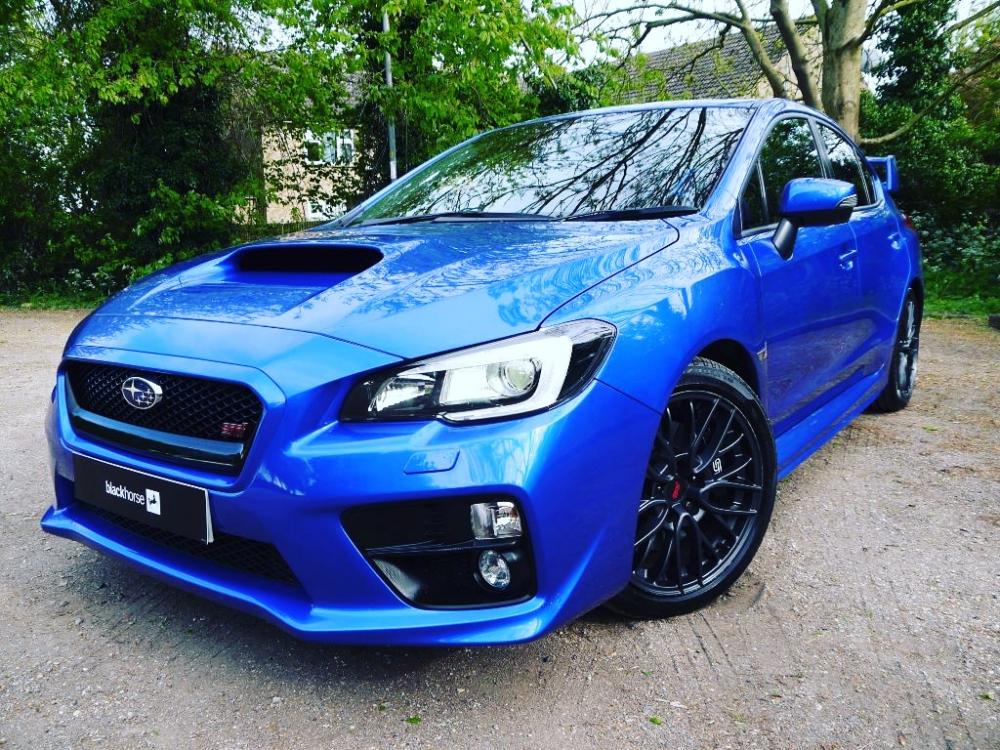
  1. Im just calling it evo eye as i dont know what it's actually classed as of yet lol Basically I've got the naff drl that i believe is the extra bulb in the fog lights any idea how I can get rid of this or put my c-lights as the drl without putting the sidelights on
  2. Hi So yeah wanted to get some ideas on what I could do styling wise to my 2014/2015 wrx sti Link would be appreciated
  3. Also I'm from the Essex area so anyone around that area would love to have a meet sometime
  4. Hey everyone I'm Taylor aka swifty (name I've gained recently haha) I'm picking up my 64 plate wrx sti this weekend
Background Picker
Customize Layout

Account

Navigation

Search

Configure browser push notifications

Chrome (Android)
  1. Tap the lock icon next to the address bar.
  2. Tap Permissions → Notifications.
  3. Adjust your preference.
Chrome (Desktop)
  1. Click the padlock icon in the address bar.
  2. Select Site settings.
  3. Find Notifications and adjust your preference.