




Become an eco member for
Only £24.95!
 |
5 |
Up to |
 |

|
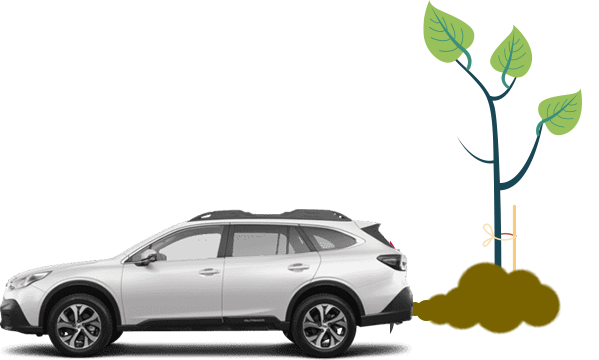
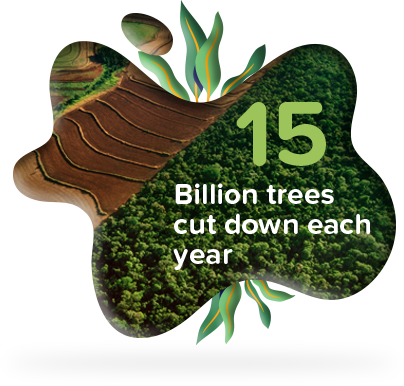
In 2015, there were around three trillion trees in the world, but more than 15 billion are cut down each year. Protecting our forests could help us store 8.72 billion tons of CO2 , this is roughly a third of the entire world’s yearly emissions |
|
To help reach the UK government's 2050 target to become carbon net-zero – that’s removing as much carbon as we’re producing – we need more trees. The reality is we need to increase the UK’s woodland cover from 13% to at least 19%. |

|
|
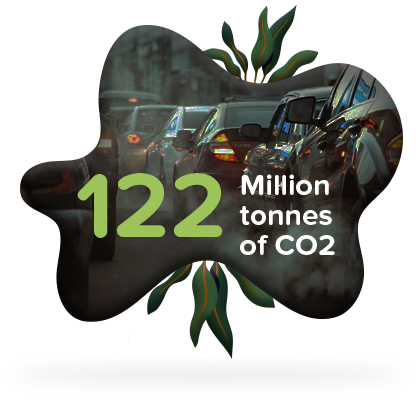
Transportation is now the most polluting sector in the United Kingdom and produced 122 million tons of CO2 in 2019. This was roughly 27 % of the country's total greenhouse gas emissions that year. |
|
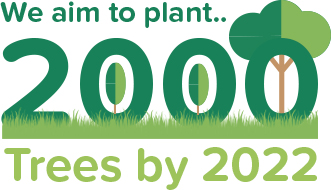
Here at Subaru Owners Club, our mission is to plant over 2000 trees a year. This will offset a huge amount of CO2 and work towards meeting the 2050 climate targets. |
|

Improved ExperienceForums - fewer adverts for a seamless unrestricted user experience within the community forums |

Club DiscountsMember Discounts - regularly added discounts to save you money on your motoring costs |
Supporting Your ClubSupport the Club - the support allows us to give more back to you in return |

Eco membership features
Benefit from added features to make your membership in the club less intrusive.
Saving MoneyRegularly added discounts to save you money on motoring costs. 
|
Halfords ExclusiveEco Members will receive an exclusive Halfords Discount Card to save up to 15% off everything in-store (10% off bikes)
|
Forum UpgradesEco Members will experience unrestricted access to the forums
|
Offers & PromotionsEco Members will be first to know about special offers, promotions and competitions
|
Membership Discounts
 |
 |
 |
 |
 |

Eco Subscription
Sign up and make your impact today for...

125 Trees Planted
so far in our forest
Summary of membership:
As part of your membership, we will plant 5 trees in our forest on
your behalf. By planting these trees, you will have offset up to
100% of your vehicles CO2 emissions for the year.
You will get monthly updates on how your subscription has made
a real impact in the world.
The opportunity to plant more trees and become carbon neutral
every year.
15% off at Halfords in-store all year round - using your very own
Halfords Discount card (10% off Bikes)
All the benefits of a Premium membership whilst making a real
difference in the world.
Sign up to Eco Membership to receive Club benefits and we will
also post you a welcome pack in the next 7-10 days.