Do Not Sell My Personal Information Jump to content
View in the app

A better way to browse. Learn more.

Subaru Owners Club UK | Subaru Forums

A full-screen app on your home screen with push notifications, badges and more.

To install this app on iOS and iPadOS
  1. Tap the Share icon in Safari
  2. Scroll the menu and tap Add to Home Screen.
  3. Tap Add in the top-right corner.
To install this app on Android
  1. Tap the 3-dot menu (⋮) in the top-right corner of the browser.
  2. Tap Add to Home screen or Install app.
  3. Confirm by tapping Install.

Greetings!

Featured Replies

Hi guys!


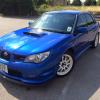
Just wanted to introduce myself. My name I Jason aka BLITZ. I live in Derby and I've just brought my first scooby, a 2006 Hawkeye UK STI. I've wanted a scoop for ages but due to work reasons and running cost it was a bit out of my price range. Anyway, all good now so I picked her up on Friday and she is a beast! Hopefully will meet up with you guys at meets and shows in the future.


11811354_10152997193376497_8734504587994

11855894_10152997193391497_3074234673759


Create an account or sign in to comment

Background Picker
Customize Layout

Account

Navigation

Search

Configure browser push notifications

Chrome (Android)
  1. Tap the lock icon next to the address bar.
  2. Tap Permissions → Notifications.
  3. Adjust your preference.
Chrome (Desktop)
  1. Click the padlock icon in the address bar.
  2. Select Site settings.
  3. Find Notifications and adjust your preference.