
Do Not Sell My Personal Information Jump to content
View in the app

A better way to browse. Learn more.

Subaru Owners Club UK | Subaru Forums

A full-screen app on your home screen with push notifications, badges and more.

To install this app on iOS and iPadOS
  1. Tap the Share icon in Safari
  2. Scroll the menu and tap Add to Home Screen.
  3. Tap Add in the top-right corner.
To install this app on Android
  1. Tap the 3-dot menu (⋮) in the top-right corner of the browser.
  2. Tap Add to Home screen or Install app.
  3. Confirm by tapping Install.

Dnelson

Members
  • Joined

  • Last visited

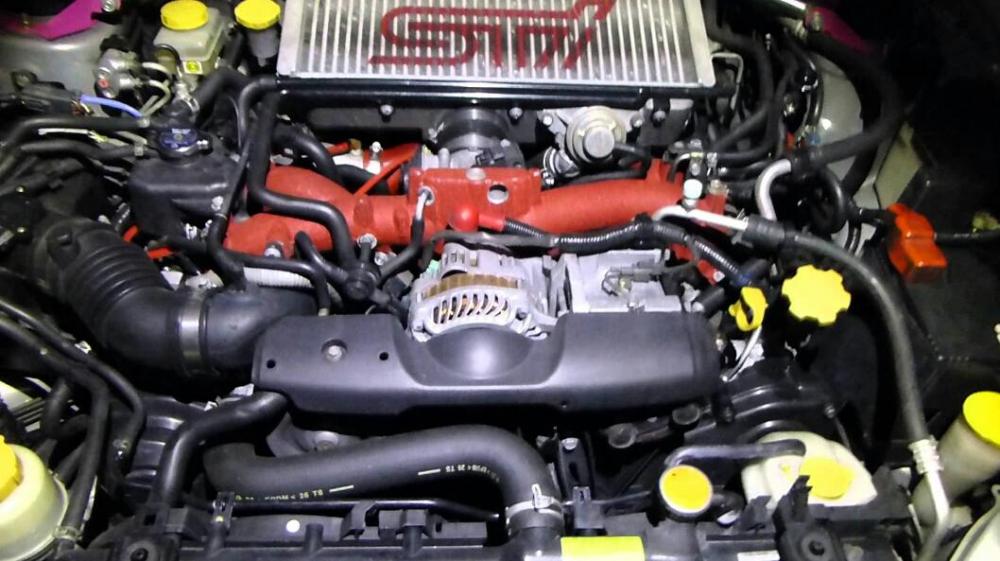
  1. Engine is already warmed up a little. K&N cold air kit, ETS turbo, stage 2 Cobb tuning kit, HKS exhaust w/ 4" pipe & racing muffler. That's good enough. Handling is a little rough. Original factory struts are shot. Hit a bump in a turn and the rear end kicks out. The plan is to replace/upgrade every suspension & steering component.
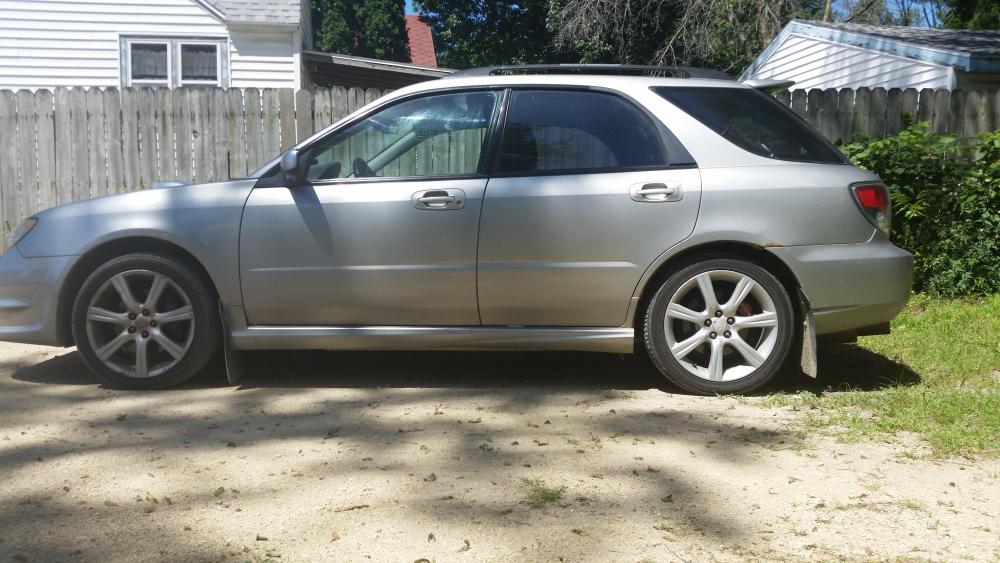
  2. Best car I've ever owned. I've had faster cars, but none of them were also fun to drive in rain & snow. 360k from the original engine. New engine makes 360 hp and 420 lbs torque. It's a sleeper. Buries the speedo in about 14 seconds. Got about 10k to invest. Needs a better suspension. Suggestions?
Background Picker
Customize Layout

Account

Navigation

Search

Configure browser push notifications

Chrome (Android)
  1. Tap the lock icon next to the address bar.
  2. Tap Permissions → Notifications.
  3. Adjust your preference.
Chrome (Desktop)
  1. Click the padlock icon in the address bar.
  2. Select Site settings.
  3. Find Notifications and adjust your preference.