
Do Not Sell My Personal Information Jump to content
View in the app

A better way to browse. Learn more.

Subaru Owners Club UK | Subaru Forums

A full-screen app on your home screen with push notifications, badges and more.

To install this app on iOS and iPadOS
  1. Tap the Share icon in Safari
  2. Scroll the menu and tap Add to Home Screen.
  3. Tap Add in the top-right corner.
To install this app on Android
  1. Tap the 3-dot menu (⋮) in the top-right corner of the browser.
  2. Tap Add to Home screen or Install app.
  3. Confirm by tapping Install.

Jeffers

Members
  • Joined

  • Last visited

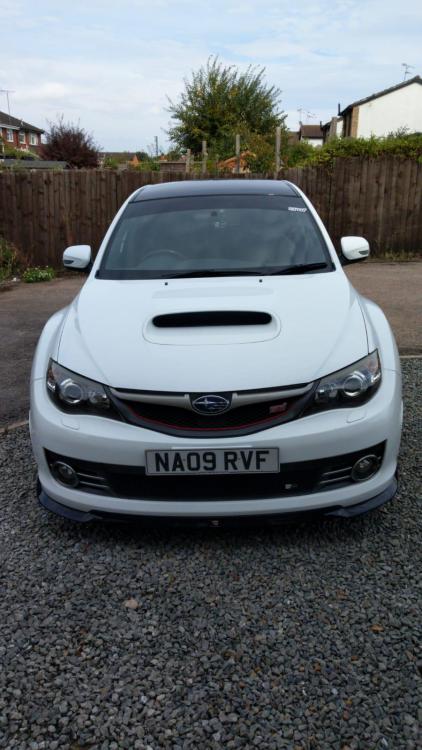
  1. She’s home! More pics tomorrow hopefully!
  2. Cheers guys, much appreciated as always.
  3. Cheers for that tidgy, will do! I’m just gonna go and google ringland!
  4. Any issues or cheeky little tests like the suspension one for the gearbox whilst I remember and I’ve got you?
  5. Cheers Jay, that’s much appreciated! Can’t wait, I’m like a kid on Xmas eve again! I’ll chuck some pictures on if she comes home with me! Cheers again.
  6. Now then all, new to the community. Fingers crossed I pick up my new addition to the family on Saturday. White 09 wrx sti hatchback. I’m sure the answers are there in the forums but any hints or tips on what to look for when looking round and test driving would be greatly appreciated. Tom
Background Picker
Customize Layout

Account

Navigation

Search

Configure browser push notifications

Chrome (Android)
  1. Tap the lock icon next to the address bar.
  2. Tap Permissions → Notifications.
  3. Adjust your preference.
Chrome (Desktop)
  1. Click the padlock icon in the address bar.
  2. Select Site settings.
  3. Find Notifications and adjust your preference.
